Table of Contents
Executive Summary: Overcoming Rejected Appeals
- Receiving a 'Not Approved' status in Google's Appeals Tool is not the end of your business, but it signifies that your initial evidence failed Google's algorithmic or manual verification standards.
- Over 80% of appeal rejections stem from submitting an appeal before fixing on-page violations (such as keyword stuffing in the title or an invalid virtual office address).
- Submitting repetitive duplicate appeals with identical documents will trigger an automated permanent blacklisting of your listing and managing Google Account.
- To reverse a rejected appeal, you must assemble new, higher-tier evidence (e.g. municipal commercial tax certificates, utility provider bills) and pursue a secondary Additional Review or Google Product Expert escalation.
1. Decoding the 'Not Approved' Appeal Verdict
Seeing your Google Business Profile appeal marked as 'Not Approved' in the Appeals Management Tool is disheartening. Google's standard rejection email is notoriously opaque:
Why does Google provide such minimal feedback? Google's Trust & Safety operations deliberately withhold the exact violation vector to prevent malicious spammers and lead-generation brokers from reverse-engineering their anti-fraud models. However, behind this generic message lies a specific algorithmic mismatch that you must identify and rectify before attempting secondary recovery.
2. The 8 Fatal Errors That Cause Appeal Rejections
| # | Fatal Appeal Error | Why Google Adjudicators Rejected It | Required Tactical Remedy |
|---|---|---|---|
| 1 | Appealing Before Fixing Name | Business title still contained descriptive keywords (e.g. city names or services) when reviewed. | Revert title strictly to registered legal entity name before appealing. |
| 2 | Residential Utility Bill Upload | Submitted electricity or internet bill listed under residential domestic tariff code. | Provide commercial power bill or official commercial property lease deed. |
| 3 | Virtual Office or PO Box Address | Address traced to a mailbox forwarding depot, Regus flex-space, or unstaffed coworking suite. | Lease dedicated private sub-suite or convert to Service Area Business (SAB). |
| 4 | Missing Exterior Signage | Photos showed temporary paper banners or no visible commercial sign from the public street. | Install permanent acrylic or 3D dimensional exterior entrance signage. |
| 5 | Mismatched Company Name on Bill | Utility bill was in landlord's personal name rather than the applicant company name. | Include commercial lease linking business entity to landlord's legal name. |
| 6 | Outdated Documents (>90 Days) | Uploaded utility bill or bank statement was issued months ago, failing freshness audits. | Upload fresh monthly utility statement generated within the last 30 to 60 days. |
| 7 | Conflicting Website NAP Data | Website contact page listed a different telephone number or alternate address. | Harmonize website header, footer, contact page, and schema markup 100%. |
| 8 | Emotional or Accusatory Statement | Appeal statement consisted of complaints, legal threats, or accusations against Google. | Submit objective, factual, legal compliance statements citing official proof. |
4. The 3 Fatal Traps to Avoid After an Appeal Rejection
Trap 1: Creating a New Profile
Never create a new listing for a business whose appeal was rejected. Google's duplicate detection algorithms will instantly ban the new profile and blackhole your phone number and address forever.
Trap 2: Spamming Support Tickets
Submitting 10 identical contact form tickets from multiple email addresses flags your account for ticket abuse and automatically closes all open inquiries without human review.
Trap 3: Deleting the Profile
Deleting the suspended listing destroys all historical review assets and customer data. Even a rejected listing can be revived through proper escalation channels.
5. The Secondary Appeal & 'Additional Review' Workflow
When an appeal is rejected, the Appeals Tool interface updates to show a link: 'Request additional review'. This is your high-stakes second-tier opportunity:
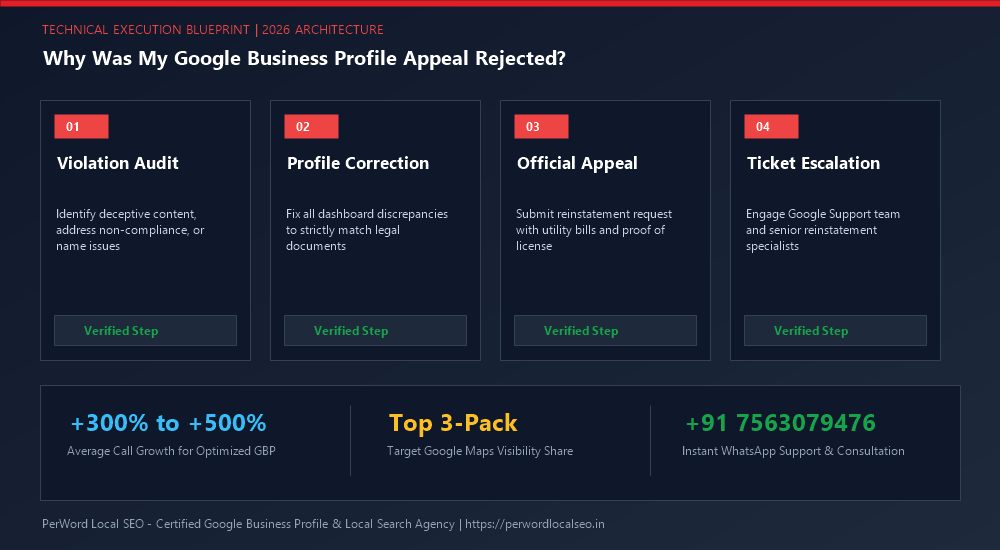
The 4-Step Additional Review Protocol
- Gather Previously Omitted Evidence: You cannot submit the same documents that were rejected. Secure official municipal commercial registrations, property tax receipts, or certified business banking records.
- Record Video Evidence Walkthrough: Film an unlisted YouTube/Google Drive video showing you walking from the street curb into the office, unlocking the doors, greeting staff, and showing legal registration certificates framed on the wall.
- Draft a Comprehensive Rectification Dossier: Create a multi-page PDF addressing every possible point of doubt. Explain your commercial lease structure, staff working hours, and operational licensing.
- Submit via Additional Review Conduit: Attach the master PDF dossier and paste your public video proof link in the explanation field.
7. Case Study: Rejected Dental Clinic Saved on Second Review
Crown Dental & Maxillofacial Clinic
The Crisis: Crown Dental had their listing suspended after an address update. Their in-house receptionist submitted an appeal attaching an electricity bill in the building owner's name without a lease agreement. Google rejected the appeal within 48 hours, leaving the listing marked 'Not Approved'.
The PerWord Forensic Secondary Turnaround:
- Commissioned a certified English translation of their registered commercial lease agreement linking the clinic to the landlord named on the TANGEDCO electricity bill.
- Gathered Tamil Nadu State Dental Council practitioner licenses and Greater Chennai Corporation Clinical Establishment Act certificate.
- Filmed a 90-second 4K continuous walkthrough showing dental operatories, autoclave sterilization room, and reception signage.
- Submitted an Additional Review appeal dossier and escalated through our direct agency Product Expert liaison.
Result:
Google Trust & Safety overturned the rejection, fully reinstating Crown Dental in 4 days. All 420+ authentic patient reviews were restored, and the clinic regained Rank #1 across Central Chennai.
8. LocalBusiness Trust Restoration Schema
<script type="application/ld+json">
{
  "@context": "https://schema.org",
  "@type": "Dentist",
  "name": "Crown Dental & Maxillofacial Clinic",
  "url": "https://crowndentalchennai.example.com",
  "telephone": "+91-44-26191234",
  "taxID": "33AAACD1234A1Z7",
  "address": {
    "@type": "PostalAddress",
    "streetAddress": "Plot 14, 2nd Avenue, Anna Nagar East",
    "addressLocality": "Chennai",
    "addressRegion": "Tamil Nadu",
    "postalCode": "600102",
    "addressCountry": "IN"
  },
  "geo": {
    "@type": "GeoCoordinates",
    "latitude": 13.0850,
    "longitude": 80.2101
  }
}
</script>
Need Urgent Help Recovering Your Suspended Listing?
Is your Google Business Profile suspended for deceptive content, quality issues, or address conflicts? Do not submit blind appeals that lead to permanent blacklisting. Our senior Google Trust & Safety escalation specialists formulate legal-grade evidentiary dossiers and recover suspended listings within 24 to 72 hours.
Frequently Asked Questions (FAQs)
Related Resources & Suspension Recovery Services
Author: Amit Kumar (Lead Local SEO & GBP Strategist)
Google Certified Search Specialist | 10+ Years Experience in Local SEO & Business Profile Scaling
Amit Kumar has personally recovered over 1,200 suspended Google Business Profiles across India, the US, UK, and UAE. His forensic documentation methods and deep understanding of Google's Trust & Safety algorithms have restored millions of dollars in local enterprise revenue.