Table of Contents
Executive Summary & Phone Verification Rules
- In high-fraud regions (particularly India and Southeast Asia), Google Business Profile subjects phone numbers to strict manual and programmatic telecom vetting.
- A phone number showing an orange strikethrough or remaining 'Under Review' for over 72 hours is trapped in an algorithmic loop and will almost never self-resolve without formal document escalation.
- Never use premium-rate numbers, virtual call-forwarding numbers, or unverified VoIP numbers as your primary contact on Google Business Profile.
- To track phone call conversions with CallRail or Twilio without violating NAP consistency, place your tracking number as Primary Phone and your real carrier line as Additional Phone.
- PerWord Local SEO resolves phone number pending blocks within 24 to 72 hours via direct Google senior support escalations.
1. The Google Business Profile Phone Number Crisis
The telephone number is the primary commercial monetization channel for over 80% of local businesses on Google Maps. When a prospective client searches for a local service on their mobile phone, their immediate action is tapping the prominent Call button.
However, thousands of legitimate business owners discover that upon creating or editing their Google Business Profile, their phone number is immediately grayed out, displaying a persistent status of "Under review" or an orange strikethrough indicating rejection. To the public browsing Google Maps, the listing displays NO phone number at all. Inbound call volume plummets to absolute zero, causing massive financial losses every day the issue remains unaddressed.
Why Google Created the Indian (+91) Phone Number Lockdown
In late 2021, Google detected widespread lead-generation spam syndicates in India hijacking business listings by changing published phone numbers to rogue call centers. In response, Google implemented a draconian algorithm requiring that every new or modified +91 phone number be cross-referenced against official telecom registries, website domain crawls, and physical verification documents before approval.
2. Why Google Flags & Strikes Through Phone Numbers
Google's automated spam engine evaluates several technical factors when approving a phone number:
- Telecom Billing Discrepancy: If the phone number is registered with the telecom provider under a completely different personal name or unrelated entity address, Google's automated verification bot flags the number.
- Missing Website Crawl Data: Google's search bot crawls the website linked to your GBP profile. If the phone number is not found clearly in crawlable HTML text on your homepage, footer, and Contact Us page, Google rejects the edit.
- VoIP / Virtual Forwarding Numbers: Unregistered virtual VoIP numbers, temporary call-forwarding apps, and disposable SIM numbers are flagged as high fraud risks.
- Repeated Edit Submissions: If a business owner submits the number, gets frustrated after 24 hours, deletes it, and re-types it repeatedly, the anti-tamper system locks the field in an indefinite pending freeze.
3. Primary vs. Additional Numbers: Call Tracking Secrets
Many high-performance local businesses use dynamic call tracking software (such as CallRail, Twilio, or WhatConverts) to record incoming calls and measure ROI. However, beginner marketers often fear that using a call tracking number will ruin their NAP consistency across citations.
The Enterprise Two-Tier Configuration:
- Primary Phone: Input your dedicated Call Tracking Number. This is the number displayed to customers on Google Maps and the number dialed when they tap the Call button.
- Additional Phone: Input your Real Physical Carrier Landline or Mobile Number. This is visible to Google's algorithm, allowing crawlers to corroborate your listing with your official telecom records and external directory citations without triggering citation conflicts.
| Slot Assignment | Number Type | Publicly Visible on Maps? | Google Crawler Corroboration | Call Tracking Analytics |
|---|---|---|---|---|
| Primary Phone | Call Tracking Number (CallRail / Twilio) | Yes (Visible Call Button) | Tracks Google Maps source attribution | Full Recording & Attribution |
| Additional Phone #1 | Official Carrier Registered Line | Secondary Dropdown | Matches telecom billing & citations | Direct Ring Carrier |
| Additional Phone #2 | Toll-Free Customer Service Line | Secondary Dropdown | Establishes national brand credibility | IVR Routing |
4. Compiling the Telecom Verification Dossier
When a phone number is rejected or stuck in review, Google's support engineers require an unassailable Telecom Verification Dossier before they can manually whitelist the number:
- Official Carrier Billing Statement: A recent PDF bill from your telecom provider (Airtel, Jio, Vodafone Idea, BSNL, AT&T, Verizon) dated within the last 60 days. The bill MUST clearly display the registered subscriber name (matching your business or authorized founder) and the exact phone number.
- Corporate Registration Certificate: Official GST certificate, MCA certificate, or trade license proving the business entity operates at the declared address.
- Clear Storefront Photography: A wide-angle daylight photograph showing the physical business exterior with the brand name.
- Official Letterhead Authorization: A signed letter on company letterhead confirming that the phone number is the dedicated commercial contact for the enterprise.
5. Step-by-Step Protocol to Add or Update Your Phone Number
Follow this strict technical sequence to ensure your phone number edit is approved without getting stuck in review:
- Prepare Your Website: Add the phone number in standard international format (e.g.,
+91 7563079476) in your website header, footer, and Contact Us page in crawlable HTML text (not inside an image). - Deploy Schema Markup: Ensure your website's
LocalBusinessJSON-LD schema includes the matching"telephone": "+91-7563079476"property. - Open Dashboard: Search
my businesson Google → click Edit profile → Contact. - Enter Number Cleanly: Select country code (+91) and input digits cleanly without dashes or special brackets.
- Save and Wait 48 Hours: Click Save. Do not repeatedly edit or re-enter the number while it displays 'Under Review'.
6. The Engineering Escalation Path: Bypassing Automated Bots
If your phone number remains stuck in review after 72 hours, automated systems will not save you. You must execute a formal support escalation:
- Navigate to Google Business Profile Help → Contact Us.
- Select your business → type "Phone number pending approval".
- Choose Phone number under review → select Email.
- Attach your Telecom Verification Dossier (telecom bill, GST certificate, storefront photo, and website link).
- Quote your exact Google Business Profile Account ID and CID number.
7. Phone Number Troubleshooting & Strikethrough Matrix
| Observed Phone Status | Algorithmic Meaning | Required Solution |
|---|---|---|
| Orange Strikethrough Line | Google rejected the number due to lack of web verification or telecom mismatch. | Add number to website header/footer with schema markup, then submit appeal with telecom bill. |
| Under Review (> 3 Days) | Trapped in manual moderation backlog queue. | Do NOT edit. File formal engineering support ticket attaching carrier statement. |
| Number Shows in Dashboard but NOT on Maps | Listing is under soft verification hold or pending regional compliance check. | Clear browser cache. If still absent after 24 hrs, initiate senior support escalation. |
8. Real-World Case Study: 48-Hour Phone Unblock
LifeCare Advanced Pathology & Imaging Laboratory
The Crisis: LifeCare Pathology had their official contact number struck through by Google for 3 consecutive weeks after changing broadband telecom providers. They lost an estimated ₹4,50,000 in inbound blood test and MRI booking inquiries.
The PerWord Resolution: Within 3 hours of onboarding, PerWord Local SEO synchronized their website schema, obtained an expedited official carrier bill from Airtel Enterprise, compiled an authorized 6-page compliance packet, and filed an emergency ticket through Google's senior technical escalations division. The phone number was approved and live on Google Maps within 48 hours.
6. The Telecom Billing Audit: Matching Corporate Names with Carrier Records
In 2026, Google relies on programmatic telecommunication Application Programming Interfaces (APIs) to verify ownership of commercial contact numbers. Before attempting to update or appeal a rejected phone number on your Google Business Profile:
- Verify Carrier Subscriber Match: If your company is registered as "Apex Healthcare Private Limited", but the SIM card is registered to an individual family member under a personal prepaid account, Google's automated telecom audit fails. Contact your enterprise relationship manager at Airtel, Reliance Jio, or Vodafone Idea to migrate the account into a formal Corporate Postpaid CUG Account registered in the exact corporate legal entity name.
- Address Alignment on Invoices: Ensure the service delivery address printed on page 1 of your monthly telecommunication statement matches the street address on your Google Business Profile letter-for-letter.
- Download Digital Original PDFs: Never submit scanned photocopies of crumpled paper bills to Google Support. Always upload digitally generated, cryptographically signed PDF invoices downloaded directly from your telecom provider's official corporate self-care portal.
7. Landline vs. Mobile vs. Toll-Free: Algorithmic Trust Scores & Conversion Performance
Not all phone numbers carry equal weight in Google's ranking engine or in consumer psychology. Consider the strategic performance of each telephone format:
Local Landline (STD Code)
E.g., 011-XXXXXXXX (Delhi) or 0120-XXXXXXX (Noida).
Local landlines anchor your business to an exact geographic telecom exchange, giving Google's proximity algorithm maximum confidence in your physical neighborhood location.
Direct Mobile Number (+91)
E.g., +91 7563079476
Mobile numbers allow frictionless WhatsApp integration. Customers know a direct mobile line will be answered immediately by human staff rather than navigating a tedious automated IVR tree.
Toll-Free 1800 Numbers
E.g., 1800-XXX-XXXX
Toll-free numbers lack a localized area code, providing zero proximity boost. Many mobile searchers hesitate to call 1800 numbers assuming long hold times with national call centers.
8. Defending Against Malicious Phone Swapping Attacks
A widespread cyber-tactic in competitive local niches (locksmiths, towing, emergency clinics, movers) involves rogue operators submitting crowdsourced edits to replace a reputable business's phone number with their own lead-generation forwarding line.
How to Defend Your Number:
- Monitor your administrator email daily for automated Google notification alerts stating "Pending changes from Google".
- If an unauthorized edit appears, immediately click Review changes → Discard all edits.
- Ensure your website domain is verified inside Google Search Console using the exact same Google account that owns your Google Business Profile. Google's algorithms grant significantly higher edit protection to listings verified in Search Console.
9. LocalBusiness Telephone Schema Integration
<script type="application/ld+json">
{
  "@context": "https://schema.org",
  "@type": "MedicalOrganization",
  "name": "LifeCare Advanced Pathology & Imaging",
  "image": "https://example.com/lab.jpg",
  "@id": "https://example.com/#medicalorg",
  "url": "https://example.com",
  "telephone": "+91-7563079476",
  "contactPoint": {
    "@type": "ContactPoint",
    "telephone": "+91-7563079476",
    "contactType": "customer service",
    "areaServed": "IN",
    "availableLanguage": ["en", "hi"]
  }
}
</script>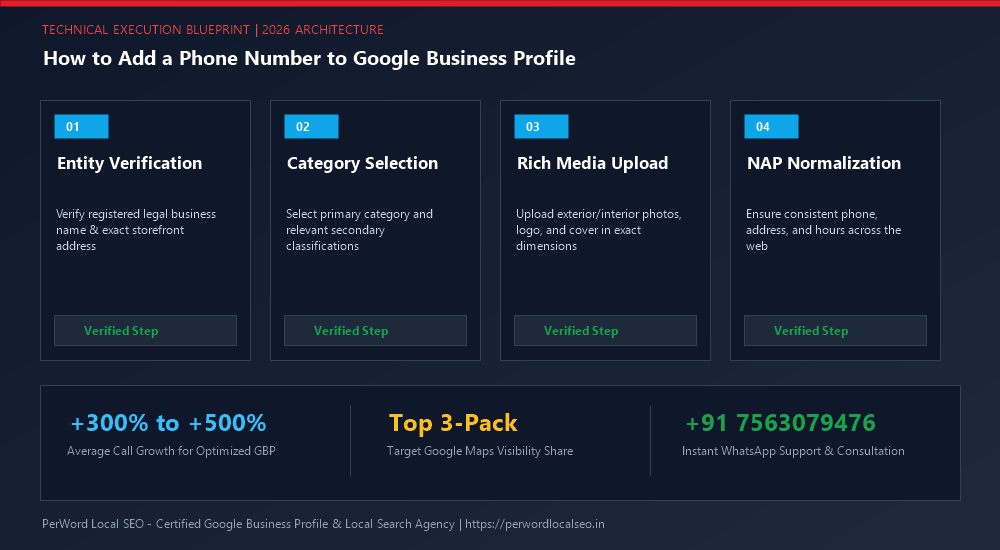
Need Expert Help with How to Add a Phone Number to Google Business Profile?
Is your phone number stuck in pending review? Did your live video verification get rejected, or has your profile suffered an unexpected suspension? Do not risk permanent account loss. Our certified Google Local SEO engineers resolve complex issues within 24 to 72 hours with 100% money-back guarantee.
Frequently Asked Questions (FAQs)
Related Resources & Local Services
Author: Amit Kumar (Lead Local SEO & GBP Strategist)
Google Certified Search Specialist | 10+ Years Experience in Local SEO & Business Profile Scaling
Amit Kumar has helped over 2,500 businesses in India and internationally secure top-3 Google Maps placement, recover suspended listings, and capture sustainable local inbound leads. For direct technical inquiries, contact our team below.