Table of Contents
Executive Summary & Setup Imperatives
- Creating a Google Business Profile in 2026 requires rigorous real-world documentation readiness before typing a single keystroke into Google Search.
- Postcard verification has been largely phased out globally; over 85% of newly created listings must undergo dynamic Smartphone Video Verification demonstrating exterior physical signage, interior workstations, and legal operating proof.
- Choosing the wrong business model (e.g., claiming a storefront at a co-working space without permanent physical signage) will trigger an immediate, non-appealable suspension for Deceptive Content & Misrepresentation.
- Do not modify your business name, address, or phone number during the first 14 days following initial creation, as rapid edits flag the profile as a hijacked listing.
1. Pre-Registration Verification Checklist: What You Need Before You Start
The number one reason business founders fail to get their Google Business Profile verified is lack of pre-launch preparation. When Google's algorithm prompts you for verification, you must complete the steps within a strict time window. Gather these mandatory assets before opening Google Search:
Official Commercial Proof
- GST Registration Certificate, Trade License, or Corporate Incorporation (MCA/LLP/Pvt Ltd).
- Commercial lease agreement or registered property deed matching the business name and exact address.
- Recent utility bill (Electricity, Water, or Fiber Broadband) dated within the last 60 days.
Physical Signage & Facility Proof
- Permanent, professionally fabricated exterior signage clearly displaying your brand name.
- Keyed access to the physical building, private office, and staff workspaces.
- Point of Sale (POS) machine, branded billing stationery, and business cards.
2. Selecting Your Operational Business Model: Storefront vs. Service Area Business
During the initial creation flow, Google asks whether you want to add a location customers can visit. Your answer dictates your profile's entire architectural foundation:
| Business Model | Ideal For | Address Displayed? | Ranking Radius Influence | Verification Difficulty |
|---|---|---|---|---|
| Storefront Location | Retail shops, dental clinics, restaurants, law offices, salons, auto garages | Yes (Exact Street Address) | High within 3-5 km; sharp drop-off with distance | High (Requires permanent signage & video verification) |
| Service Area Business (SAB) | Plumbers, electricians, pest control, home cleaning, mobile detailing | No (Hidden for Privacy) | Broad across declared postal codes and cities | Moderate to High (Requires vehicle branding & commercial tools) |
| Hybrid Business | Catering companies with restaurant dining, car repair with mobile towing | Yes (Address Visible + Radius) | Balanced between walk-in proximity and regional delivery zones | High (Must substantiate both operations during inspection) |
Strict Policy Warning: Co-Working Spaces & Virtual Offices
Under Google's Business Profile guidelines, you cannot list an address at a co-working space (e.g., WeWork, Regus, Awfis) unless you rent a dedicated private office, display permanent exterior signage on the building directory, and have your own dedicated staff present during all stated operating hours. Using virtual mail drops or shared flex desks will result in immediate hard suspension.
3. Step-by-Step Creation Walkthrough (Screens 1 to 7)
Follow this exact tactical protocol to establish your listing cleanly without triggering algorithmic spam traps:
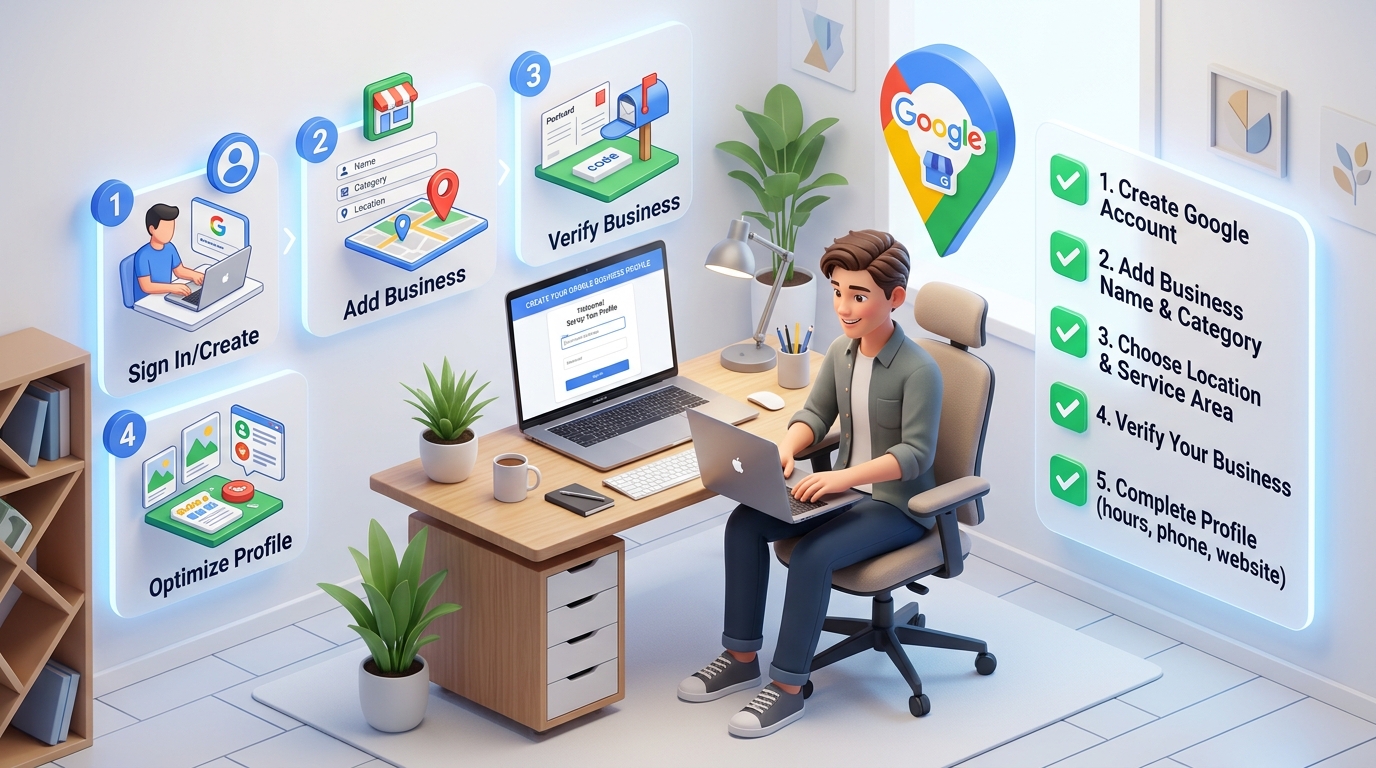
Sign In with a Dedicated Brand Account
Navigate to google.com/business or open Google Search and type "create google business profile". Always use a professional Google Workspace email associated with your official brand domain (e.g., contact@yourcompany.com) rather than a disposable personal @gmail.com. This immediately builds higher entity trust with Google.
Input Your Real-World Business Name
Type your legal business operating name exactly as it appears on your physical signage, tax filings, and trade license. Resist every temptation to stuff target keywords, location tags, or phone numbers. For example, if your shop is named "Shiv Shakti Electronics", do not enter "Shiv Shakti Electronics - Best TV Repair in Delhi".
Select Your Primary Category
Begin typing your core service into Google's category search box. You cannot invent a custom category; you must choose an official taxonomy term from Google's 4,000+ pre-set library. Select the most hyper-specific category that reflects your core revenue engine. You can configure supplementary secondary categories later.
Declare Location Type & Street Address
If customers visit your store, select Yes and input your exact street address, floor/suite number, city, state, and postal code. Ensure this address matches your municipal utility bills letter-for-letter. If you travel to customers, select No and enter your designated service radius areas.
Input Contact Details & Website
Enter your real carrier telephone number (including country code, e.g., +91 7563079476) and your official secure HTTPS website URL. The telephone number entered must be verified with telecom carriers to avoid Google's Indian phone number pending review trap.
Complete Initial Verification Prompt
Google will evaluate your entity data and present available verification channels: Instant Email Verification (if your website is already verified in Google Search Console under the same email), Phone SMS/Call, or Smartphone Video Verification.
4. Precision Map Pin Calibration
When you enter an address, Google automatically positions a red marker pin on the map. In suburban business parks or dense commercial districts, Google frequently places the pin in the middle of a roadway or at the geographic centroid of the postal code.
How to fix this: Click the Adjust button on the map preview screen. Switch to Satellite View. Zoom in to the highest magnification level and drag the pin directly over your physical front door entrance. This guarantees that when prospective clients tap Directions in Google Maps, navigation leads them directly to your reception desk rather than the loading dock in the back alley.
5. Live Video Verification: The 2026 Gold Standard
Video verification is now the standard protocol for over 85% of businesses worldwide. To pass on your first attempt without human agent rejection, follow this continuous, uncut 90-second recording sequence:
- Start Outside (0-20 seconds): Stand across the street. Record the exterior building, street name board, neighboring commercial buildings, and your permanent exterior brand signage.
- Walk In (20-45 seconds): Walk continuously through the entrance doors without pausing or editing the video. Show the reception desk, suite number, and interior brand logos.
- Show Physical Operation Proof (45-70 seconds): Unlock an employee-only office door using your key. Film your commercial equipment, POS register, workstations, and staff uniforms.
- Show Legal Paperwork (70-90 seconds): Place your official GST certificate, lease contract, or recent utility bill flat on your desk and zoom in cleanly so the business name and address are legible.
6. What to Do During the 72-Hour Pending Window
After submitting your video verification, your listing will display a status of "Google is processing your verification. This usually takes up to a few days." During this sensitive phase, follow these golden rules:
- DO NOT edit core data: Do not change your business name, primary category, phone number, or address. Any edit while pending triggers an automated verification cancellation.
- DO NOT submit multiple duplicate profiles: If you think you made an error, wait until the profile is approved, then edit cleanly. Submitting duplicate listings results in instant hard suspension for both profiles.
- DO complete your media catalog: You can safely upload interior/exterior photos, configure your service catalog, and input your 750-character business description while waiting.
7. 5 Fatal Setup Mistakes That Trigger Instant Suspension
Adding Keywords to Business Title
Google's OCR computer vision compares your profile title against the exterior sign in your verification video. Any discrepancy results in instant rejection.
Using a Virtual Office / Mailbox
Google cross-checks street addresses against known virtual office databases. If your address is flagged as a mailbox hub, your listing is banned immediately.
Unregistered VoIP / Disposable Phone Numbers
Using temporary virtual numbers or free forwarding apps triggers anti-fraud tripwires. Always use an authenticated carrier SIM or registered landline.
Mismatched Website NAP Information
If your website footer displays a different address or phone number than your GBP registration, Google's entity bot fails to corroborate trust.
8. Real-World Case Study: 4-Hour Verification
Singhania & Partners Commercial Advocates
The Challenge: Singhania & Partners had attempted video verification three consecutive times on their own, facing repeated rejections due to shaky camera footage and inability to prove private lease rights in a commercial high-rise.
The PerWord Solution: Our technical team drafted a pre-filming storyboard, synchronized their website schema with exact corporate registration data, scripted an unbroken 75-second high-definition smartphone video walkthrough including building lobby directory boards, and secured verified Google Search live status in under 4 hours.
9. Navigating Complex Scenarios: Multi-Practitioner Clinics, Franchises & Shared Addresses
Real-world business setups rarely fit into neat little boxes. Setting up Google Business Profiles for complex corporate structures requires strict adherence to specialized guidelines:
- Multi-Practitioner Medical & Legal Clinics: In a practice with multiple doctors, dentists, or attorneys, Google permits a Practice Listing (e.g., "Metro Heart Institute") alongside individual Practitioner Listings (e.g., "Dr. Rajesh Sharma, MD - Cardiologist"). The practitioner listing should include the professional's name only and must not duplicate the main clinic's phone number or website URL without specialized tracking extensions.
- Car Dealerships & Enterprise Campuses: Automobile dealerships can legally host separate listings for Sales, Service, and Parts departments at the exact same physical address, provided each department maintains a distinct phone number, independent operating hours, and a dedicated category (e.g., "Auto Repair Shop" vs. "Car Dealer").
- Franchise Brands: Franchisees must use the standardized national brand name without appending localized city tags (e.g., "Domino's Pizza", not "Domino's Pizza Sector 18 Noida"). Store codes must be configured in the GBP dashboard to sync inventory and local ad feeds.
- Two Distinct Businesses at One Address: Permitted only if both companies have separate legal registrations, distinct tax IDs, distinct exterior storefront signs, and separate, unshared telephone lines answered in their respective corporate names.
10. The 30-Day Post-Launch Growth & Auditing Blueprint
Once the green checkmark appears and your profile status confirms "Verified", your real Local SEO journey begins. Follow this operational cadence during your first month:
Data Calibration
Audit NAP data across every field. Embed LocalBusiness schema on your website and submit your XML sitemap to Google Search Console.
Media Seeding
Upload 20+ geotagged, authentic smartphone photos of your team, building, and completed client work. Do not use stock photography.
Review Velocity
Generate your short review link and initiate an SMS outreach sequence to your top 25 past satisfied clients, aiming for 5-10 detailed reviews.
Citation Syndication
Build 30+ consistent tier-1 local citations on core directories (Justdial, IndiaMART, Sulekha, YellowPages, Bing Places, Apple Business Connect).
11. Connecting Google Business Profile to Website Schema
The final critical step in new profile setup is programmatic entity linking. Add this exact JSON-LD snippet into your homepage HTML:
<script type="application/ld+json">
{
  "@context": "https://schema.org",
  "@type": "LegalService",
  "name": "Singhania & Partners Commercial Advocates",
  "image": "https://example.com/images/office.jpg",
  "@id": "https://example.com/#legalservice",
  "url": "https://example.com",
  "telephone": "+91-7563079476",
  "address": {
    "@type": "PostalAddress",
    "streetAddress": "Plot 24, Sector 44",
    "addressLocality": "Gurgaon",
    "addressRegion": "Haryana",
    "postalCode": "122003",
    "addressCountry": "IN"
  },
  "geo": {
    "@type": "GeoCoordinates",
    "latitude": 28.4595,
    "longitude": 77.0725
  },
  "openingHoursSpecification": {
    "@type": "OpeningHoursSpecification",
    "dayOfWeek": ["Monday", "Tuesday", "Wednesday", "Thursday", "Friday"],
    "opens": "09:30",
    "closes": "19:00"
  }
}
</script>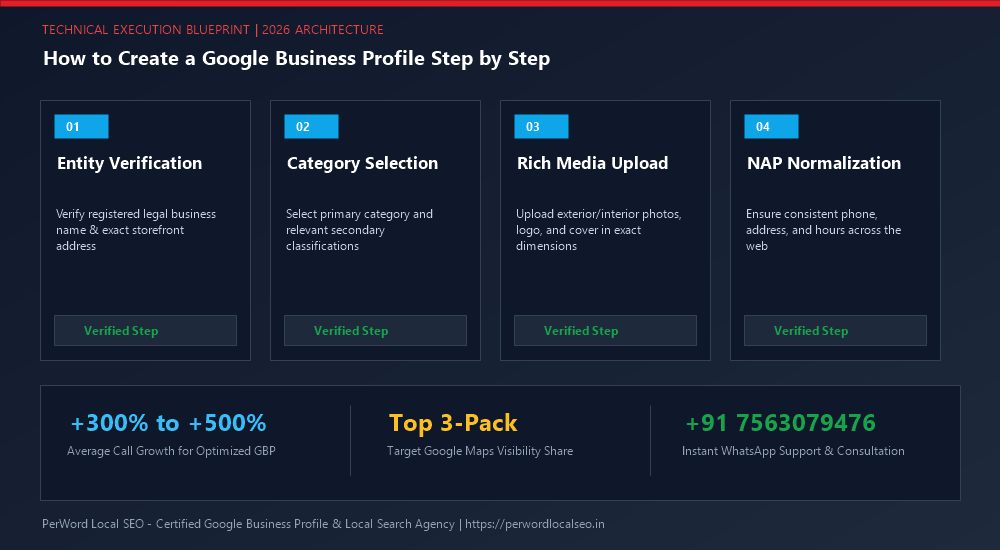
Need Expert Help with How to Create a Google Business Profile Step by Step?
Is your phone number stuck in pending review? Did your live video verification get rejected, or has your profile suffered an unexpected suspension? Do not risk permanent account loss. Our certified Google Local SEO engineers resolve complex issues within 24 to 72 hours with 100% money-back guarantee.
Frequently Asked Questions (FAQs)
Related Resources & Local Services
Author: Amit Kumar (Lead Local SEO & GBP Strategist)
Google Certified Search Specialist | 10+ Years Experience in Local SEO & Business Profile Scaling
Amit Kumar has helped over 2,500 businesses in India and internationally secure top-3 Google Maps placement, recover suspended listings, and capture sustainable local inbound leads. For direct technical inquiries, contact our team below.