Table of Contents
Executive Summary: Verification Failure Diagnostics
- Over 60% of first-time Google Business Profile verification attempts fail. The vast majority of failures are not due to technical glitches but rather clear policy violations detected by Google’s automated Vision AI and risk scoring algorithms.
- The #1 cause of video verification failure is lack of exterior spatial continuity: filming only indoors without showing municipal street signs, building facades, and physical entrance locks.
- The #1 cause of address verification failure is attempting to register virtual offices, mailbox stores (UPS/Mail Boxes Etc.), or co-working desks without dedicated permanent exterior signage.
- When verification fails, never delete the profile to start over. Deleting and recreating profiles leaves residual ghost entities in Google's database and flags your account as a serial spammer. Always repair and escalate the existing profile.
2. The 10 Most Common Verification Failure Causes
| # | Failure Cause | Algorithmic Mechanism | Actionable Remediation |
|---|---|---|---|
| 1 | Missing Permanent Signage | Paper signs or vinyl banners detected by Vision AI as temporary. | Install fixed 3D acrylic or metal signage mounted to the building exterior. |
| 2 | Virtual Office / PO Box Address | Address matches commercial mail forwarding or shared desk database. | Switch to Service Area Business (SAB) model or secure a physical storefront lease. |
| 3 | Video Starts Indoors | Lacks Zone 1 street context, neighborhood buildings, and street signs. | Always start filming on the public sidewalk showing street name signs. |
| 4 | VoIP or Virtual Phone Number | Telecom carrier database flags number as Skype, Google Voice, or burner. | Use a postpaid commercial landline or mobile line registered in the legal business name. |
| 5 | Mismatched Legal Business Name | Profile name contains added keywords not present on signage or tax records. | Align profile name strictly with official incorporation papers and exterior sign. |
| 6 | No Proof of Management Authority | Video fails to show physical keys unlocking doors or operating billing POS. | Demonstrate physical access: unlock the door, log into POS, show staff areas. |
| 7 | Multiple Businesses at Same Suite | Google detects conflicting businesses sharing the exact room or suite. | Obtain a distinct sub-suite number or clearly partitioned commercial entrance. |
| 8 | Rapid Camera Panning & Blurriness | Optical Character Recognition (OCR) fails to parse signage text. | Rehearse steady walking motion in bright natural daylight. |
| 9 | Untrusted Manager Account | Google account is brand new or associated with previously suspended profiles. | Transfer primary ownership to an established, verified Google Workspace account. |
| 10 | Unresponsive Phone Verification | Automated phone call sent to automated IVR tree without human pickup. | Route direct to an attendant or request mobile SMS verification. |
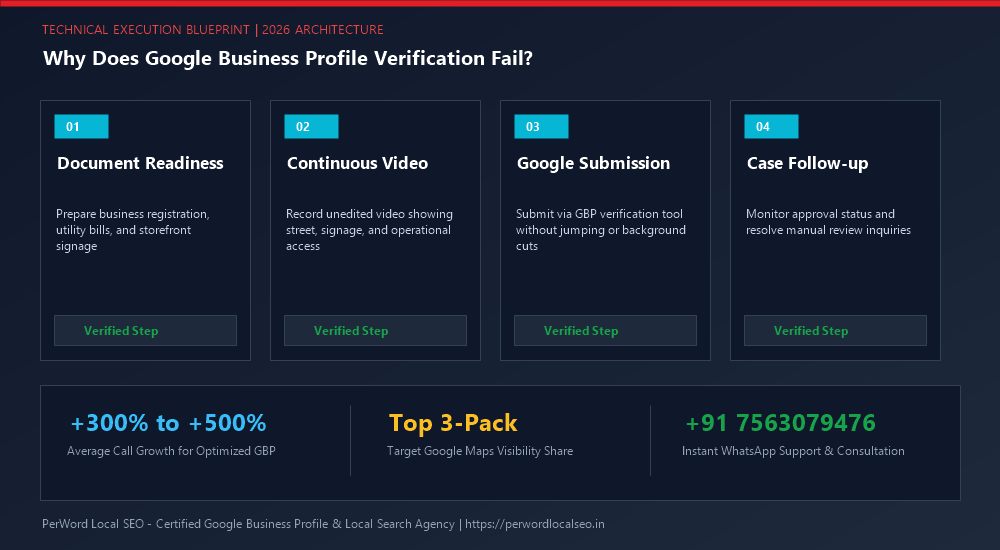
5. Step-by-Step Failed Verification Recovery Protocol
Diagnose the Failure Vector
Review the exact error prompt. Did the video fail to upload, or did Google reject the footage after review? Audit your signage, phone carrier, and address category.
Rectify Underlying Physical Deficiencies
Install permanent exterior signage, mount building directories, and clean the customer entrance. Ensure municipal street signs are clearly visible from your curb.
Execute Flawless 3-Zone Re-Shoot
Wait for the video recording prompt to reset (usually 24 to 48 hours). Re-record following the strict 3-zone continuous take protocol in broad daylight.
Prepare Document Escalation Dossier
If rejected a second time, immediately assemble your commercial utility bill, GST/tax certificate, and commercial lease deed for direct ticket submission via the GBP Appeal Tool.
7. Case Study: Law Firm Overcomes 3 Rejections in Connaught Place
8. Algorithmic Diagnostics: How Google's AI Scans Verification Video
Google does not use human moderators for initial video reviews. Instead, your video is ingested by Google's multi-modal Cloud Vision and Spatial AI engines. The AI extracts frames at 30fps and evaluates four discrete verification confidence vectors:
Optical Character Recognition (OCR)
Scans building numbers, door signs, vehicle decals, and paper licenses. Text must achieve a 95%+ string similarity match with the registered GBP business title.
Street View & Geolocation Correlation
Compares street landmarks, adjacent shop facades, and sun angles against Google's Street View historical database and GPS coordinates.
Action Recognition Engine
Detects physical keys turning lock cylinders, hands unlocking employee-only doors, or fingers tapping point-of-sale passwords.
Virtual & Co-Working Space Blacklists
Checks building address against a global database of Regus, WeWork, and mailbox forwarding hubs to immediately flag unauthorized storefronts.
9. The Emergency Pre-Filming Re-Verification Checklist
10-Point Pre-Flight Verification Audit
- 1. High-speed 5G or mobile hotspot tested (upload speed >15 Mbps).
- 2. Camera lens cleaned with microfiber cloth to prevent glare blur.
- 3. Keys placed in hand ready to unlock physical doors without fumbling.
- 4. Commercial tax certificate / utility bill displayed on office desk.
- 5. POS / CRM login screen active on staff desktop or iPad.
- 6. Street sign and municipal building number clearly visible from curb.
- 7. Neighboring commercial storefronts visible in opening establishing pan.
- 8. Employee branded uniforms or badges worn during video capture.
- 9. No editing, pausing, or app switching during the continuous recording.
- 10. Filming performed between 10:00 AM and 3:00 PM for peak natural sunlight.
Vanguard Legal Chambers
The Problem: Vanguard Legal was located on the 3rd floor of a heritage colonial building in Connaught Place. Because the building housed multiple commercial offices, Google's algorithms repeatedly rejected their video verification, flagging the address as an unverified shared workspace.
The PerWord Turnaround Strategy:
- Installed a polished brass nameplate at the main ground-floor street entry and an engraved directory plaque on the 3rd-floor landing.
- Re-filmed the verification video: starting at the Inner Circle radial road showing colonial block pillars, walking through the ground foyer, ascending the stairs, unlocking the chamber doors with keys, and showcasing the law library and senior advocates' council licenses.
- Submitted synchronized Bar Council registrations and MTNL commercial telephone bills via the GBP Appeal Portal.
Result:
Full verification approved within 48 hours of document escalation. Vanguard Legal now ranks #1 for "Corporate Law Firm Connaught Place", generating ₹45,00,000 in commercial retainer billing.
Need Expert Help with Why Does Google Business Profile Verification Fail? (Top 10 Causes & Fixes)?
Is your Google Business Profile stuck in an endless verification loop, or did your video recording get rejected? Do not let technical glitches paralyze your local customer leads. Our certified Google Local SEO specialists resolve complex verification roadblocks and suspensions within 24 to 72 hours.
Frequently Asked Questions (FAQs)
Related Resources & Verification Services
Author: Amit Kumar (Lead Local SEO & GBP Strategist)
Google Certified Search Specialist | 10+ Years Experience in Local SEO & Business Profile Scaling
Amit Kumar has helped over 2,500 businesses in India and internationally secure top-3 Google Maps placement, recover suspended listings, and resolve complex video verification failures. For direct technical inquiries, contact our team below.