Table of Contents
Executive Summary: Verification Troubleshooting Protocol
- The dreaded "Verification Loop" occurs when Google prompts you to verify, you submit a video or PIN, and the dashboard immediately reverts back to asking you to verify again. This indicates an internal algorithmic entity mismatch in Google's back-end database.
- Never delete the listing or keep submitting repeated unoptimized videos; doing so flags the account as a brute-force spam risk and burns the physical address.
- Clear mobile browser cache, reset geolocation permissions, and open the verification link inside an Incognito Chrome session to bypass common mobile session token corruption errors.
- If the automated self-service buttons fail twice, escalate directly through the Google Business Profile Verification Appeal Tool with high-resolution scans of your tax registration certificate, lease deed, and exterior storefront signage photos.
1. Breaking the Endless Verification Loop
Few local SEO problems are as infuriating as the verification loop. You record a detailed 90-second video walkthrough, watch the upload reach 100%, and receive a message stating "Video uploaded successfully." However, 48 hours later, your dashboard displays the exact same prompt: "Verification required > Get verified."
This loop occurs when Google's automated Computer Vision AI scores your video between 40% and 65% confidence—not low enough to trigger an outright rejection, but not high enough to grant automated approval. The video sits in an unassigned moderation queue until the token expires, resetting your dashboard to square one.
To break the loop:
- Do not record a video from the same starting location or lighting conditions.
- Upgrade your physical evidence: install permanent exterior dimensional signage, place branded directory stickers on building entrances, and ensure the municipal street name sign is clearly filmed.
- Link your Google Business Profile to a verified Google Search Console property on the exact same primary management email.
5. The 5-Step Escalation Protocol for Stuck Profiles
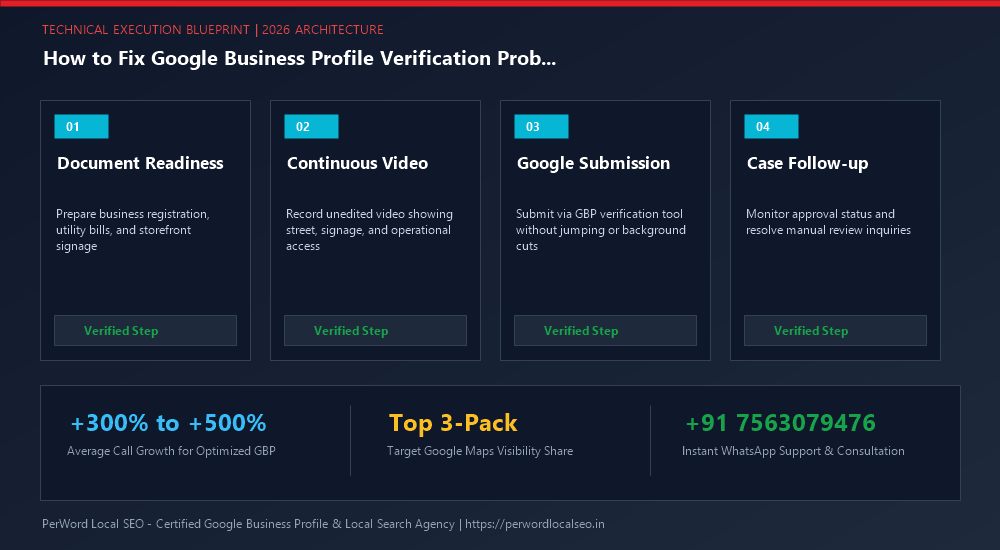
Audit Entity Foundation
Check your profile for hidden policy triggers: remove all keyword stuffing from business name, confirm phone number is a direct commercial line, and calibrate map pin.
Clear Mobile Browser Tokens
Clear Chrome browser history and cookies. Ensure camera and high-accuracy GPS permissions are enabled in Android/iOS app settings before re-attempting video.
Assemble Tier-1 Document Dossier
Prepare a single combined PDF containing: recent commercial electricity bill, government GST/Tax certificate, notarized commercial lease, and photos of outdoor signage.
Submit Formal Appeal Ticket
Access the official Google Business Profile Verification Appeal Tool → select listing → select 'Verification in progress' → attach document dossier → submit case.
6. Comprehensive Error Code & Fix Matrix
| Error Symptom | Root Cause | Technical Remediation |
|---|---|---|
| "Can't use this phone number" | Virtual VoIP number, carrier mismatch, or number previously linked to suspended profile. | Update to a postpaid commercial line registered with the telecom authority. |
| "Camera or Location Access Denied" | Mobile browser privacy settings blocking real-time camera or GPS telemetry. | Go to Phone Settings → Apps → Chrome/Safari → Permissions → toggle Camera & Precise Location to 'Always Allow'. |
| "Duplicate Location Conflict" | Another verified listing exists at the same address with matching category. | Initiate an official 'Request Access' ownership claim on the existing listing. |
| "Couldn't verify your business" | Manual review team rejected documents or video evidence. | Submit a formal ticket via the GBP Verification Appeal Tool with utility bills and lease agreement. |
7. Case Study: HVAC Contractor Rescued from 4-Month Verification Limbo
CoolWave Climate Engineering
The Nightmare: CoolWave was stuck in a 4-month verification loop. Every time they recorded their industrial workshop, the video failed to process. Three different local agencies had given up, advising the owner to abandon the address.
The PerWord Forensic Rescue:
- Identified that Google Maps Street View had outdated 2019 imagery showing an empty dirt lot before the commercial tech park was built.
- Compiled a legal evidence portfolio: Karnataka State Factory License, commercial BESCOM power bill, and a certified letter from the industrial park management.
- Bypassed self-service mobile recording entirely; scheduled a Live Video Inspection Call with Google's escalation engineers.
Result:
Verified on the spot during the 12-minute live inspection call. Within 30 days, CoolWave captured Rank #1 across South Bangalore for commercial AC maintenance contracts.
8. Schema.org Validation Implementation
<script type="application/ld+json">
{
  "@context": "https://schema.org",
  "@type": "HVACBusiness",
  "name": "CoolWave Climate Engineering",
  "url": "https://coolwaveengineering.example.com",
  "telephone": "+91-80-67891234",
  "taxID": "29AAAAA1234A1Z5",
  "address": {
    "@type": "PostalAddress",
    "streetAddress": "Plot 24, Phase 1, Electronic City",
    "addressLocality": "Bangalore",
    "addressRegion": "Karnataka",
    "postalCode": "560100",
    "addressCountry": "IN"
  },
  "geo": {
    "@type": "GeoCoordinates",
    "latitude": 12.8399,
    "longitude": 77.6770
  }
}
</script>
Need Expert Help with How to Fix Google Business Profile Verification Problems: Complete Troubleshooting Manual?
Is your Google Business Profile stuck in an endless verification loop, or did your video recording get rejected? Do not let technical glitches paralyze your local customer leads. Our certified Google Local SEO specialists resolve complex verification roadblocks and suspensions within 24 to 72 hours.
Frequently Asked Questions (FAQs)
Related Resources & Verification Services
Author: Amit Kumar (Lead Local SEO & GBP Strategist)
Google Certified Search Specialist | 10+ Years Experience in Local SEO & Business Profile Scaling
Amit Kumar has helped over 2,500 businesses in India and internationally secure top-3 Google Maps placement, recover suspended listings, and resolve complex video verification failures. For direct technical inquiries, contact our team below.