Table of Contents
Executive Summary: Verification Time Horizons
- In 2026, the standard review window for Video Verification is 24 to 72 business hours. Profiles operating in low-risk commercial categories often see approval within 18 hours, while regulated sectors (medical, legal, financial) undergo extended manual audits lasting up to 5 business days.
- Instant verification (0 to 2 minutes) is strictly reserved for accounts with established Google Search Console domain ownership, verified telecom records, or pre-existing organizational authority.
- If your status displays "Processing verification" for more than 5 full business days, an internal technical hold or manual review queue bottleneck has occurred. Do not re-record the video; initiate formal ticket escalation via the GBP Appeal Tool.
- Making edits to your business name, address, or categories while a verification is pending will reset the review clock and can result in automated cancellation.
1. 2026 Verification Turnaround Benchmarks
Understanding how long Google Business Profile verification takes is critical for business launches, marketing campaign timing, and revenue planning. A business that is unverified cannot generate inbound phone calls or appear on Google Maps.
Here are the empirical industry benchmarks across all verification methods:
| Verification Channel | Target Turnaround | Maximum Audit Window | Current 2026 Reliability |
|---|---|---|---|
| Smartphone Video Recording | 24 to 48 Hours | 5 Business Days | High (92% pass rate) |
| Telecom Phone / SMS PIN | Instant (60 Seconds) | Immediate | Very High (Instant) |
| Corporate Domain Email | 1 to 3 Minutes | Immediate | Very High (Instant) |
| Postal Mail Postcard | 10 to 14 Days | 18 Business Days | Low (Lost mail risk) |
| Google Meet Live Inspection | Scheduled (3 to 7 Days) | Immediate on Call | Escalation Only |
3. The 6 Algorithmic Bottlenecks That Delay Approvals
When a verification exceeds the 72-hour window, one of the following algorithmic triggers is usually active:
Regulated & Fraud-Prone Niches
Industries such as emergency plumbing, locksmith services, medical clinics, and financial lending are automatically routed to specialized human Trust & Safety reviewers.
Address Density Scoring
If your address matches a co-working space or commercial park with 20+ other registered businesses, Google cross-checks lease agreements to ensure you maintain physical signage.
Vision AI Low Confidence Score
If video footage is underexposed, filmed at night, or suffered from camera shake, Google's Optical Character Recognition (OCR) fails to read the street sign, forcing a secondary manual review.
Account Seniority Penalty
Profiles created from newly registered Google accounts (under 60 days old) face deeper algorithmic verification scrutiny than established agency accounts.
4. When & How to Escalate Stuck Profiles
Follow this strict timeline protocol before contacting Google support:
- Days 1 to 3 (Hours 0 to 72): Allow the automated systems to process. Do NOT touch any profile settings, phone numbers, or hours.
- Day 4 (Hour 96): Check your dashboard. If status still says "Processing", log into your registered Google email and check for hidden notifications from
googlebusinessprofile-noreply@google.com. - Day 5 (Hour 120): The profile is officially stalled. Navigate to the Google Business Profile Verification Appeal Tool (Google Help Portal). Select your business → choose "Verification status" → attach your official commercial documents (business license, tax certificate, commercial utility bill).
7. Case Study: Fast-Tracking Commercial Kitchen in 48 Hours
SpiceRoute Gourmet Catering
The Problem: SpiceRoute was launching in 5 days for the wedding festive season. Their verification video had been stuck on "Processing" for 8 business days because Google flagged their industrial estate location as an unconfirmed commercial unit.
The PerWord Fast-Track Escalation:
- Prepared a verified documentation dossier: FSSAI food safety license, Maharashtra GST registration, and Adani Electricity utility invoice showing the exact unit number.
- Opened a direct manual escalation ticket with Google Local Operations citing commercial pre-launch loss.
- Provided photographs of fixed stainless-steel entrance signage and active culinary refrigeration.
Result:
5. Step-by-Step Status Tracking Protocol in Search & Maps NMX
Track your verification review status in real time using the Google Search New Merchant Experience (NMX):
Log Into Manager Account
Sign into the exact Google account linked to your business → search my business or your business name on Google.
Inspect Profile Status Badge
At the top of the dashboard, look at the status chip. It will display either "Customers can't see your business (Verification required)", "Processing verification", or a green checkmark stating "You're verified".
Access Help & Support Tool
If processing exceeds 5 days, click the 3-dot overflow menu in the top right → select Help & feedback → click Check verification status.
Review Support Case ID
Record your unique 15-digit Support Ticket Case ID from the confirmation email to reference during escalation calls with Google operations specialists.
6. Diagnostic Matrix: Verification Status Flags
| Dashboard Status | Underlying Technical Condition | Recommended Next Action |
|---|---|---|
| 'Processing verification' (<72h) | Automated machine learning ingestion and Vision AI evaluation underway. | Do not make profile edits; wait for the full 72-hour window to complete. |
| 'Processing verification' (>5 Days) | Internal technical hold or manual Trust & Safety security review required. | Submit official commercial utility bills via the GBP Verification Appeal Tool. |
| 'Get verified' Reappeared | Video failed automated confidence scoring threshold (40-65% confidence). | Re-record in bright daylight starting at the street corner showing road signs and door locks. |
| 'Verified' Green Checkmark | Entity approved and cryptographic trust token bound to profile ID. | Execute the 10-step launch playbook: add products, secondary categories, and reviews. |
8. LocalBusiness Entity Authority Schema
Embed structured Schema.org JSON-LD data on your official website linking directly to your verified business registry IDs to accelerate verification clearance:
<script type="application/ld+json">
{
  "@context": "https://schema.org",
  "@type": "FoodEstablishment",
  "name": "SpiceRoute Gourmet Catering",
  "url": "https://spiceroutecatering.example.com",
  "telephone": "+91-22-67894321",
  "taxID": "27AAAAA1234A1Z5",
  "address": {
    "@type": "PostalAddress",
    "streetAddress": "Unit 14, MIDC Industrial Area, Andheri East",
    "addressLocality": "Mumbai",
    "addressRegion": "Maharashtra",
    "postalCode": "400093",
    "addressCountry": "IN"
  },
  "geo": {
    "@type": "GeoCoordinates",
    "latitude": 19.1197,
    "longitude": 72.8764
  }
}
</script>
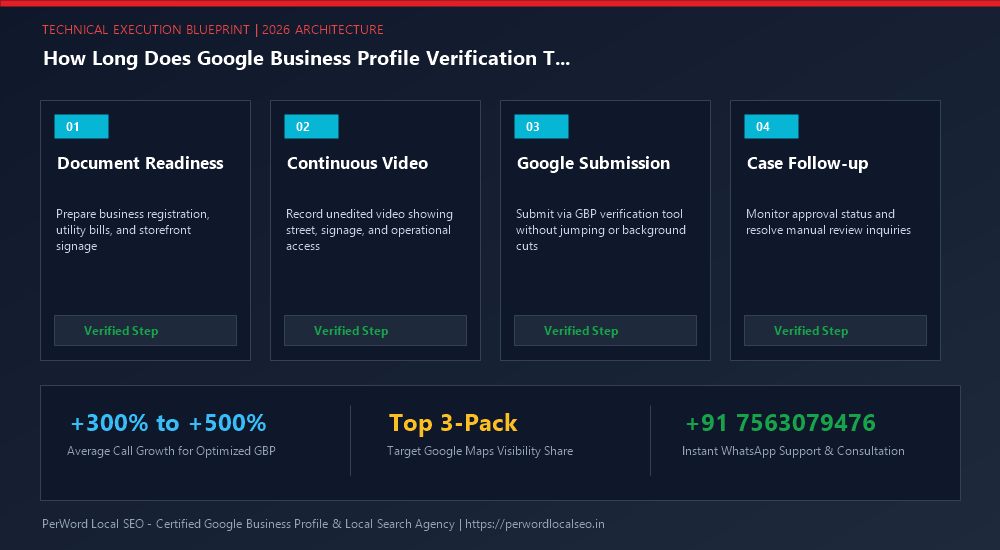
Need Expert Help with How Long Does Google Business Profile Verification Take? (2026 Timelines)?
Is your Google Business Profile stuck in an endless verification loop, or did your video recording get rejected? Do not let technical glitches paralyze your local customer leads. Our certified Google Local SEO specialists resolve complex verification roadblocks and suspensions within 24 to 72 hours.
Frequently Asked Questions (FAQs)
Related Resources & Verification Services
Author: Amit Kumar (Lead Local SEO & GBP Strategist)
Google Certified Search Specialist | 10+ Years Experience in Local SEO & Business Profile Scaling
Amit Kumar has helped over 2,500 businesses in India and internationally secure top-3 Google Maps placement, recover suspended listings, and resolve complex video verification failures. For direct technical inquiries, contact our team below.