Table of Contents
Executive Summary: Video Verification Blueprint
- Google Video Verification requires a continuous, unedited single-shot recording (typically between 60 to 120 seconds) submitted through the official Google Business Profile mobile browser portal.
- Your recording must unequivocally demonstrate three elements: Location (street names, neighboring stores), Business Presence (permanent exterior signage, operating hours), and Management Access (unlocking doors, operating cash register/POS, showing administrative tools).
- You cannot upload a pre-recorded or professionally edited MP4 file. The video must be recorded live directly inside Google's camera interface with GPS location enabled on your smartphone.
- Videos are parsed by Google's Vision AI models and human trust & safety evaluators. Approvals take between 24 to 72 business hours.
1. The Anatomy of GBP Video Verification
Since 2024, Google has systematically phased out postcard verification in favor of real-time mobile video verification. This shift was necessitated by the rampant abuse of virtual maildrops and fake addresses by black-hat lead generation syndicates.
When you trigger video verification, Google establishes a direct mobile session that monitors your smartphone’s real-time hardware telemetry:
- Live GPS Triangulation: Your phone's real-time latitude and longitude coordinates must match your business address within a 15-meter tolerance radius.
- Live Sensor Ingestion: The video must be recorded live; you cannot import pre-existing gallery videos, apply digital filters, or stitch multiple takes together.
- Zero Latency Encryption: Once completed, the video is securely transmitted to Google’s internal Trust & Safety servers for algorithmic validation.
2. What Google's Computer Vision AI Scans in Your Video
Before a human engineer ever looks at your video, Google’s automated machine learning pipeline audits the footage frame-by-frame. Vision AI models look for specific positive markers and negative red flags:
Algorithmic Trust Signals (Pass Factors)
- Optical Character Recognition (OCR) matching your exact business name on fixed exterior signs.
- Geo-spatial landmark recognition aligning with Google Street View panoramas.
- Smooth, unedited physical transitions from public outdoor areas into private workspaces.
- Legitimate business operational tools (e.g., credit card swipe machines, scheduling software, customer chairs).
Algorithmic Red Flags (Instant Failures)
- Video starts directly indoors without capturing the street or exterior entrance.
- Temporary paper signs taped to doors or laminated sheets tacked over other business names.
- Filming inside residential living rooms or co-working shared desks without dedicated exterior branding.
- Rapid, jerky camera panning that blurs text or street signs beyond legibility.
3. The 3 Mandatory Visual Criteria (Location, Business, Management)
| Criterion | What Google Expects to See | Recommended Evidence Item |
|---|---|---|
| 1. Location Context | Proof that your physical location matches your Google Maps address and neighborhood surroundings. | Municipal street name signs, adjacent shopfronts, building exterior number plaques, cross-street views. |
| 2. Business Presence | Proof that your business is open for trade and maintains a permanent physical establishment. | Permanent exterior signage, company logo on entrance glass, operating hours plate, customer lobby. |
| 3. Proof of Management | Proof that you are an authorized owner/employee with legitimate access to operations. | Unlocking the commercial entrance with your key, opening billing software, operating POS terminal, showing staff badges. |
4. Step-by-Step Recording Workflow (Pre-filming to Submission)
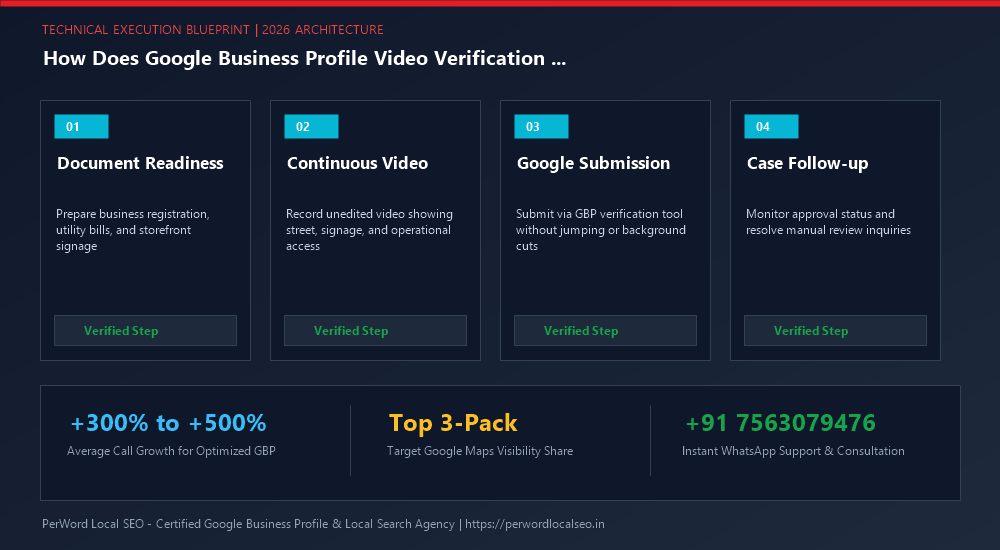
Pre-Flight Rehearsal
Walk your intended path before filming. Unlock all doors, turn on all lights, and ensure keys and documents are in your pocket. Rehearse keeping your camera steady.
Launch Google Mobile Session
Open Chrome or Safari on your smartphone → navigate to business.google.com → tap Get verified > Record video. Allow GPS location and camera permissions.
Film the 3-Zone Path
Start filming at the street curb. Capture the street sign, walk up to your storefront, zoom in on your signage, unlock the door, and film your workspace and POS billing screen.
Upload & Await Verification
Tap 'Stop recording' → review the upload progress bar → click Submit video. Do not close your browser tab until the green confirmation checkmark appears.
7. Case Study: Luxury Spa Overcomes 4 Video Rejections in 48 Hours
Sattva Soul Ayurvedic Sanctuary
The Issue: Sattva Soul was situated on the 2nd floor of a boutique commercial arcade. The owner recorded four videos inside their tranquil spa rooms, but all four were rejected within hours because Google’s algorithms could not correlate the indoor aesthetic rooms with the exterior street address.
The PerWord Video Strategy:
- Scripted a seamless 110-second continuous recording starting at the 100 Feet Road street signage.
- Filmed the arcade's ground-floor directory board displaying "Sattva Soul - Suite 202", then walked up the exterior marble staircase.
- Showcased the brass entrance nameplate, unlocked the double glass doors with the owner's master key, and captured the reception billing terminal showing their business registration and appointment calendar.
Result:
The profile received official verification within 28 hours. Within 45 days, Sattva Soul ranked #2 for "Ayurvedic Spa Indiranagar", yielding a 360% increase in weekly massage bookings.
Need Expert Help with How Does Google Business Profile Video Verification Work? (2026 Blueprint)?
Is your Google Business Profile stuck in an endless verification loop, or did your video recording get rejected? Do not let technical glitches paralyze your local customer leads. Our certified Google Local SEO specialists resolve complex verification roadblocks and suspensions within 24 to 72 hours.
Frequently Asked Questions (FAQs)
Related Resources & Verification Services
Author: Amit Kumar (Lead Local SEO & GBP Strategist)
Google Certified Search Specialist | 10+ Years Experience in Local SEO & Business Profile Scaling
Amit Kumar has helped over 2,500 businesses in India and internationally secure top-3 Google Maps placement, recover suspended listings, and resolve complex video verification failures. For direct technical inquiries, contact our team below.