
Table of Contents
Executive Summary: The GBP Visual Spec Master Rules
- Google's official guidelines require photos to be between 10 KB and 5 MB, with a minimum resolution of 720 x 720 pixels. However, professional Local SEO requires retina-grade assets at 1200 x 900 px (4:3) for gallery shots and 1024 x 576 px (16:9) for cover banners.
- Always export images in the sRGB color profile. Uploading images in CMYK or Adobe RGB results in extreme color banding, washed-out saturation, or severe digital distortion on mobile screens.
- Manual EXIF Geotagging is stripped by Google: Google strips EXIF GPS tags upon upload to protect user privacy. Instead, establish semantic geo-relevance through descriptive file names (e.g.,
premier-cosmetic-dental-clinic-connaught-place-delhi.jpg) and authentic physical signage. - Every image must undergo a Cloud Vision AI pre-flight check to ensure text overlays occupy under 10% of total image area, safe-search grades are completely clear, and entity labels match your primary category.
1. The Master Technical Cheat Sheet for GBP Media
Use this authoritative reference matrix when preparing any visual or video asset for your Google Business Profile:
| Asset Type | Aspect Ratio | Optimal Dimensions | Max File Size | Format | Key Design Rule |
|---|---|---|---|---|---|
| Business Logo | 1:1 (Square) | 720 x 720 px | 5 MB | PNG or JPG | 80% Circular Safe Zone; solid background. |
| Cover Photo | 16:9 (Landscape) | 1024 x 576 px / 1200 x 675 px | 5 MB | JPG | Center-weighted; illuminated exterior signage. |
| Exterior Gallery | 16:9 or 4:3 | 1920 x 1080 px / 1200 x 900 px | 5 MB | JPG | Daytime and dusk lighting; street landmark cues. |
| Interior Gallery | 4:3 or 16:9 | 1200 x 900 px | 5 MB | JPG | Balanced ambient lighting; no fisheye distortion. |
| Products Catalog | 1:1 (Square) | 1200 x 1200 px | 5 MB | JPG / PNG | Clean white/neutral backdrop; zero text watermarks. |
| GBP Update Post | 4:3 or 1:1 | 1200 x 900 px | 5 MB | JPG | High-contrast hero subject; headline in caption only. |
| Video Walkthrough | 16:9 or 9:16 | 1080p FHD (1920x1080) | 75 MB | MP4 (H.264) | Max 30s; natural sound; zero copyright music. |
2. Deep Dive: Aspect Ratios, Exact Resolutions & Cropping Zones
A primary cause of unprofessional Google Maps listings is improper asset cropping. Google dynamically adapts images depending on whether a searcher is using a 27-inch desktop monitor, an iPhone 16 Pro Max, or an Android tablet.
Here are the exact responsive cropping behaviors you must design around:
1. The Cover Photo 16:9 Dynamic Container
On desktop Knowledge Panels, Google displays cover photos in a wide panoramic container. On mobile, Google crops 10% from the left and right edges. Solution: Position your core subject matter, front door, and building signage within the central 80% horizontal boundary.
2. The Logo Circular Viewport
Google renders your square 1:1 logo inside a circular avatar mask on mobile search cards, review responses, and customer Q&A. Solution: Maintain an 80% safe zone; never allow typography or iconography to touch the square outer corners.
3. Gallery Grid Thumbnails
In the Google Maps photo gallery feed, photos are previewed in a square 1:1 grid before users tap to expand them. Solution: Ensure your wide-angle photos have a compelling, centered focal point that remains enticing even when center-cropped in the preview grid.
4. High-DPI Retina Rendering
Google's minimum requirement of 720x720px is outdated for modern 3x pixel-density smartphone screens. Uploading at 1200x900px or 1920x1080px guarantees pin-sharp rendering without triggering Google’s downsampling compression penalties.
3. Image Compression, File Formats & The Mandatory sRGB Rule
Technical Warning: Color Profile Mismatches (CMYK vs sRGB)
Professional graphic designers frequently export agency brand assets in CMYK (print color profile) or Adobe RGB (1998). When these files are uploaded to Google Business Profile, Google's automated web processing servers convert them poorly, causing intense neon color shifts, green tinting, or total desaturation. Always export digital imagery strictly in standard sRGB IEC61966-2.1.
When compressing your files, balance image clarity against Google's 5MB threshold:
- JPG / JPEG: Ideal for real-world photography (exterior, interior, team, action). Use an 85% quality compression level (Photoshop Quality 8-9, or TinyJPG) to keep files between 800 KB and 2.5 MB.
- PNG: Reserved strictly for your 1:1 Logo badge and high-contrast graphical diagrams where vector text sharpness must be preserved without JPEG block artifacts.
- Avoid WEBP & SVG for GBP Direct Uploads: While Google recommends WebP for websites, GBP’s backend upload pipeline can behave erratically with WebP files, and SVG vector files are strictly rejected. Stick to JPG and PNG.
4. Semantic File Naming Conventions vs. The Geotagging Myth
For over a decade, black-hat SEO forums advocated "EXIF Geotagging"—manually writing latitude and longitude coordinates into the metadata of photos before uploading them to GBP. Let us dispel this myth with empirical reality:
Why Manual EXIF Geotagging Does Not Work
Under global consumer privacy standards (GDPR, CCPA), Google’s automated ingestion pipeline strips all EXIF metadata (including GPS coordinates, camera serial numbers, and personal timestamps) the instant an image is uploaded. Running third-party batch geotagging tools on stock photos provides zero ranking advantage. What Google does analyze is genuine visual content through computer vision and the file name string itself.
Never upload files with default camera names like IMG_5892.JPG or WhatsApp Image 2026-03.jpeg. Instead, apply semantic descriptive naming:
| Flawed / Negative File Name | Optimized Semantic File Name | Algorithmic Benefit |
|---|---|---|
| IMG_98234.jpg | dr-arora-root-canal-treatment-safdarjung-delhi.jpg | Establishes practitioner, service entity, and geographic neighborhood. |
| Photo_1.png | bmw-brake-pad-replacement-workshop-gurgaon.jpg | Tags mechanical service entity and commercial vehicle category. |
| logo_final_v3_print.jpg | zenith-wealth-management-official-logo-badge.png | Validates brand entity naming and avoids print color profile corruption. |
5. The Google Cloud Vision API Pre-Flight Audit Protocol
Before publishing important brand photos to your profile, audit them using Google’s publicly accessible Cloud Vision AI tool (Cloud Vision Drag-and-Drop Demo).
Upload your candidate image and evaluate three critical output tabs:
- Labels: Does Vision AI correctly identify your industry? (e.g., A dermatology clinic photo should return labels like "Skin care," "Dermatology," "Medical clinic," "Physician". If it returns "Cosmetics," "Fashion model," "Lipstick," the photo will not support your medical primary category).
- Text (OCR): Does the system read your physical storefront sign accurately? Ensure no background random clutter produces confusing commercial text snippets.
- SafeSearch: Verify that Adult, Spoof, Medical, Violence, and Racy all score "Very Unlikely". (Note: Medical clinics should be cautious; graphic surgical photos often score high in "Medical/Violence" and will be censored).
6. Visual Troubleshooting Matrix: Blurring, Rejection & Distortions
| Visual Problem | Underlying Root Cause | Verified Technical Solution |
|---|---|---|
| Photo Marked 'Not Approved' | Automated filter flagged copyright match, stock photo fingerprint, or excessive promotional text overlay exceeding 10% of canvas. | Remove all overlaid phone numbers or discount graphics. Upload authentic RAW unedited photography taken at the location. |
| Photo Appears Extremely Blurry | Image was below minimum 720px threshold or was compressed using high lossy settings before upload. | Export at 1920x1080px or 1200x900px at 85% JPEG quality. Ensure shutter speed was fast enough to avoid camera shake. |
| Colors Appear Fluorescent or Desaturated | File was exported using CMYK print color profile or Adobe RGB. | Open file in Photoshop/Canva → Convert color profile to sRGB IEC61966-2.1 → re-upload. |
| Upload Button Throws 'Unknown Error' | File size exceeds 5MB or file extension is unsupported (e.g., HEIC, WebP, SVG, TIFF). | Convert to standard JPG or PNG format and compress file size below 4MB. |
7. Real-World Case Study: 12-Branch Retail Chain Slashes Bounce Rates by 42%
Urban Living Handcrafted Furniture (12 Locations)
The Baseline Problem: Across 12 regional showrooms, branch managers had uploaded over 400 random smartphone photos—mostly blurry, underexposed, with misaligned aspect ratios, inverted colors from CMYK brochures, and WhatsApp compressed graphics. Mobile visitors bouncing from their GBP listings was over 65%.
The PerWord Visual Overhaul:
- Executed a standardized photography protocol across all 12 branches: capturing 1200x675px (16:9) illuminated exterior facade photos, 1200x900px showroom layout galleries, and 1:1 high-res product close-ups.
- Re-encoded all 500+ assets in strict sRGB color space, standardized semantic file naming, and eliminated all promotional discount stamps.
- Purged 180 low-quality legacy visitor and owner photos dragging down listing visual trust scores.
Documented 120-Day Network Results:
8. Frequently Asked Questions (FAQ)
pediatric-dental-checkup-indiranagar-bangalore.jpg) help Google's indexing systems understand entity context during ingestion. Avoid keyword stuffing; ensure the file name accurately describes what is depicted in the photo.
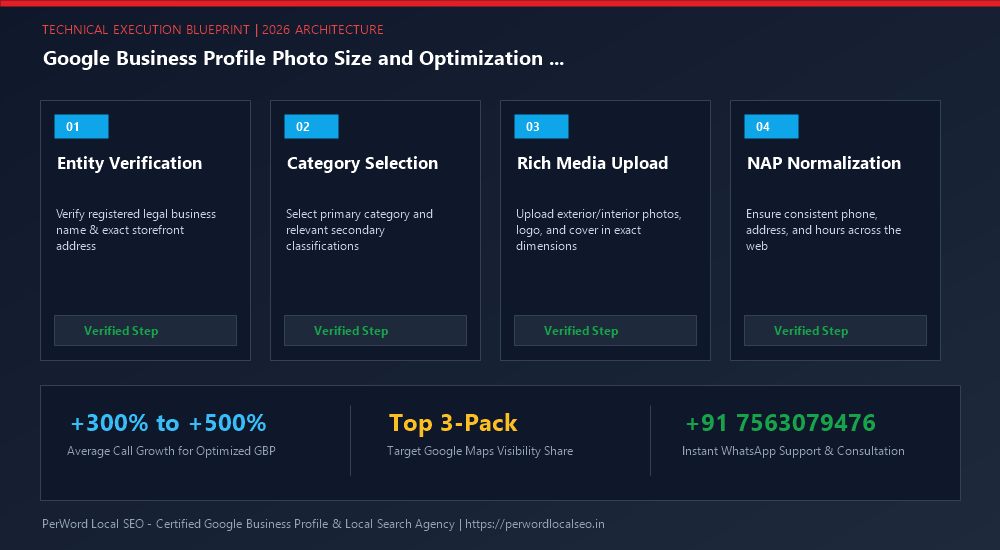
Need Expert Help with Google Business Profile Photo Size and Optimization Guide?
Are your products rejected, or are your photos and business hours failing to show up on Google Maps? Do not let algorithmic glitches derail your inbound customer flow. Our certified Google Local SEO engineers optimize and verify high-performance business profiles within 24 to 72 hours.
Frequently Asked Questions (FAQs)
Related Resources & Local Services
Author: Amit Kumar (Lead Local SEO & GBP Strategist)
Google Certified Search Specialist | 10+ Years Experience in Local SEO & Business Profile Scaling
Amit Kumar has helped over 2,500 businesses in India and internationally secure top-3 Google Maps placement, recover suspended listings, and capture sustainable local inbound leads. For direct technical inquiries, contact our team below.