Table of Contents
Executive Summary: The Google Rulebook
- Google's Business Profile guidelines are not optional recommendations; they represent a strict contractual operating agreement. Violating them results in automated penalties, algorithmic demotions, or permanent blacklisting.
- To be eligible for a listing, a business must make in-person contact with customers during its stated operating hours—either at a physical storefront or within a designated local service delivery area.
- Purely digital, online-only e-commerce brands, rental properties for sale/lease, and unstaffed physical locations (such as unstaffed ATMs or parcel kiosks) are strictly prohibited from having standard business listings.
- Your business title must represent your real-world commercial name exactly as used on your storefront signage, corporate letterhead, and tax filings. Adding keywords or taglines is explicitly prohibited.
1. The Foundation of Google's Local Representation Policy
Google’s local search ecosystem is built upon a single core premise: Real-World Commercial Ground Truth. When a user turns to Google Maps to find a mechanic, dentist, restaurant, or notary public, Google guarantees that the user will find a genuine, operational commercial entity ready to serve them.
To uphold this promise, Google maintains a comprehensive set of legal guidelines governing profile representation. These rules dictate everything from how you format your business name to how multiple commercial entities may share space in a single office complex. Ignorance of these rules is never accepted as a defense when a listing is suspended.
2. Eligible vs. Ineligible Business Models
| Business Category | Eligibility Status | Specific Policy Requirements & Restrictions |
|---|---|---|
| Storefront Businesses | 100% Eligible | Must possess permanent exterior signage, dedicated customer entrance, and staff present during stated hours. |
| Service Area Businesses (SAB) | 100% Eligible | Must travel directly to customer locations. Address MUST be hidden from public Maps display. |
| Hybrid Businesses | 100% Eligible | Operates a storefront showroom but also delivers to client homes (e.g. restaurant with delivery, auto parts store). |
| Online-Only E-Commerce | Strictly Ineligible | Drop-shipping sites, digital marketing agencies without physical client walk-ins, and software platforms are barred. |
| Vacation Rentals / Real Estate | Strictly Ineligible | Rental properties, holiday homes, and empty apartments for lease are ineligible. Only the central real estate sales office qualifies. |
| Unstaffed Commercial Kiosks | Strictly Ineligible | Automated parcel lockers, standalone vending machines, and mobile food carts without fixed permits are prohibited. |
3. Official Business Naming Rules & Prohibitions
Google’s naming guidelines are unequivocal: Your business name must reflect your real-world name as used consistently on your storefront, website, stationery, and tax documents.
What Is Explicitly FORBIDDEN in Names:
- Marketing Taglines: e.g., "Star Cleaners - Fastest Same Day Laundry Service".
- Geographic Keywords: e.g., "Dr. Mehta Orthodontics South Delhi Connaught Place".
- Service Lists / Category Spam: e.g., "Sharma Motors - Oil Change, Brakes, Tires, AC".
- Contact Information: Adding telephone numbers, web URLs, or fax numbers.
- All-Caps Text: e.g., "BEST LUXURY SALON" (unless legally incorporated in all-caps).
What Is PERMITTED in Names:
- Official Corporate Entity Name: e.g., "Star Cleaners Private Limited".
- Registered Trade Name / DBA: If registered with municipal authorities as "Sharma Motors", use that exact name.
- Branch Identifier for Multi-Location Chains: e.g., "HDFC Bank - Indiranagar Branch" (only if used consistently across all brand marketing).
- Professional Licensee Suffix: For solo practitioners: e.g., "Dr. Anita Desai, MD" or "Advocate Rajesh Rao".
5. Co-Location: Multiple Businesses at One Address
Operating multiple commercial business profiles at the exact same physical street address is one of the most common areas of confusion. Google allows co-location under strict parameters:
- Distinct Corporate Entities: Each business must have separate incorporation filings, distinct tax IDs, and unique commercial utility or lease agreements.
- Distinct Suite or Unit Designations: The address must clearly differentiate spaces (e.g., Suite 201 vs. Suite 202). Sharing a single generic room without physical partitioning triggers duplicate listing suspensions.
- Separate Dedicated Phone Numbers: Each business must maintain an independent phone line answered with the specific company's name. Forwarding calls to a single shared mobile number flags the listings as fraudulent duplicates.
- Independent Exterior Signage: Each entity must display permanent signage visible to customers upon arrival.
7. Case Study: Co-Working Incubator Complies with Google Standards
InnovateHQ Business Innovation Campus
The Challenge: InnovateHQ housed 45 distinct startup tenants. When tenants attempted to create Google listings, Google mass-suspended 18 profiles in one week for 'Shared Address & Unverified Physical Presence'.
The PerWord Policy Overhaul:
- Assigned formal municipal sub-suite numbers to all private lockable tenant cabins (e.g. InnovateHQ, Suite 3B-10).
- Installed an engraved commercial directory board at the main entrance listing authorized tenant companies.
- Created standard sub-lease compliance addendums showing physical exclusive possession for each registered startup.
- Guided non-storefront consulting tenants to configure their listings as Service Area Businesses (SABs) with hidden addresses.
Result:
All 18 suspended tenant listings successfully reinstated. Zero subsequent address-related suspensions over the following 18 months.
8. Schema.org Corporate Entity Alignment
<script type="application/ld+json">
{
  "@context": "https://schema.org",
  "@type": "CorporateOffice",
  "name": "InnovateHQ Business Innovation Campus",
  "url": "https://innovatehq.example.com",
  "telephone": "+91-80-49871234",
  "taxID": "29AAACI1234A1Z4",
  "address": {
    "@type": "PostalAddress",
    "streetAddress": "Plot 8, EPIP Zone, Whitefield",
    "addressLocality": "Bangalore",
    "addressRegion": "Karnataka",
    "postalCode": "560066",
    "addressCountry": "IN"
  },
  "geo": {
    "@type": "GeoCoordinates",
    "latitude": 12.9815,
    "longitude": 77.7289
  }
}
</script>
Need Urgent Help Recovering Your Suspended Listing?
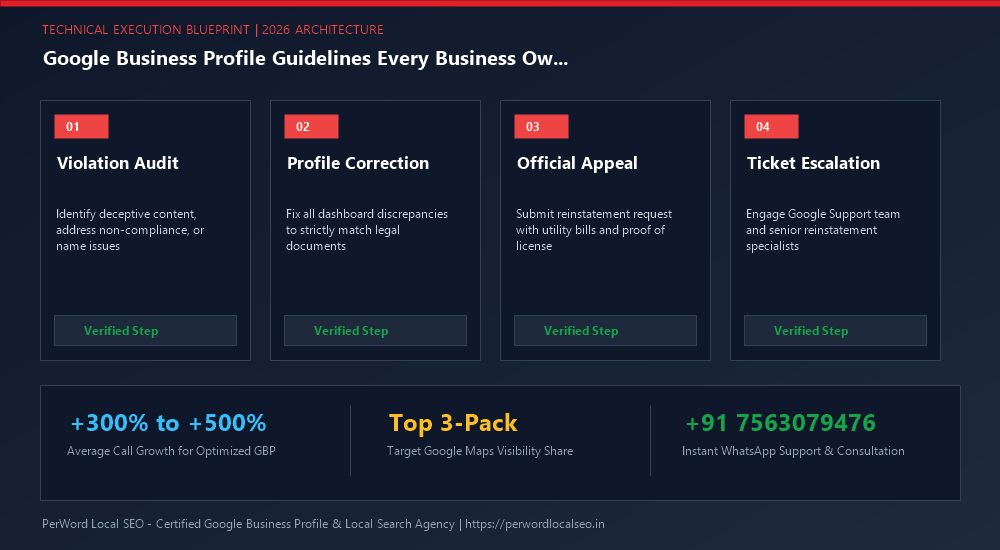
Is your Google Business Profile suspended for deceptive content, quality issues, or address conflicts? Do not submit blind appeals that lead to permanent blacklisting. Our senior Google Trust & Safety escalation specialists formulate legal-grade evidentiary dossiers and recover suspended listings within 24 to 72 hours.
Frequently Asked Questions (FAQs)
Related Resources & Suspension Recovery Services
Author: Amit Kumar (Lead Local SEO & GBP Strategist)
Google Certified Search Specialist | 10+ Years Experience in Local SEO & Business Profile Scaling
Amit Kumar has personally recovered over 1,200 suspended Google Business Profiles across India, the US, UK, and UAE. His forensic documentation methods and deep understanding of Google's Trust & Safety algorithms have restored millions of dollars in local enterprise revenue.