Table of Contents
Executive Summary: Overcoming Phone Edit Blocks
- If your Google Business Profile phone number reverts back to your old number or displays an orange strikethrough, Google's automated systems have explicitly rejected your edit.
- In India (+91), Google implemented strict anti-scam algorithms following massive TRAI regulatory mandates. Edits are rejected if the number cannot be crawled in clear HTML text on your official domain.
- Repeatedly submitting the same rejected phone number multiple times in a row will flag your profile for spam editing and freeze all edit capabilities for 30 days.
- Resolution requires establishing Triangular Proof: Official Website Footprint + Telecom Carrier Invoice + Manual Support Escalation.
1. The Orange Strikethrough Explained
You log into your Google Business Profile dashboard, enter your new commercial telephone number, and click 'Save'. Ten minutes later, you return to find your new number crossed out with an orange line, while your old contact number remains live.
This visual indicator is known in the local SEO industry as the Algorithmic Strikethrough. It means that Google’s automated verification bots tested your number against internal trust metrics and concluded that the evidence was insufficient to authorize the edit.
2. The India (+91) Strict Telecom Algorithm
Business owners operating in India face an especially rigorous telephone verification barrier. Following a massive surge in unauthorized phone number manipulation by rogue financial and technical support scammers, Google introduced custom verification algorithms specifically for Indian (+91) phone numbers.
Under this regional framework, Google’s algorithms mandate that a new telephone number must possess an established, crawlable footprint across the open web before it can be approved on a Business Profile. If a business creates a brand-new SIM card or buys a new virtual PBX number that has never appeared on an indexed webpage, Google automatically rejects the edit.
3. The 7 Root Causes of Phone Rejections
| # | Root Cause | Why Google Algorithmic Scanners Block It | Immediate Remedy |
|---|---|---|---|
| 1 | Missing on Website | Googlebot crawled the linked domain and found zero instances of the submitted number in HTML text. | Embed number in header, footer, and contact page. |
| 2 | Image-Based Phone Graphics | Number is placed inside an image banner or Canva graphic, which bots cannot parse via OCR. | Replace image graphic with live, selectable HTML text. |
| 3 | Virtual VoIP Non-Fixed Number | Number belongs to an unverified VoIP provider without commercial telecom KYC backing. | Use a registered postpaid mobile or commercial landline. |
| 4 | Number Linked to Another Profile | The phone number is currently active on a different verified Google listing, triggering duplicate flags. | Remove number from conflicting profile before updating. |
| 5 | Untrusted Manager Account | The account submitting the edit is a newly added Manager with low historical trust scoring. | Submit the edit strictly from the Primary Owner account. |
| 6 | High-Risk Service Category | Locksmiths, towing, and emergency clinics face automated manual holds on all phone edits. | Submit official commercial utility bills via support ticket. |
| 7 | Spurt Edit Velocity | User attempted to change business name, address, and phone number in a single session. | Wait 10 days between major profile modifications. |
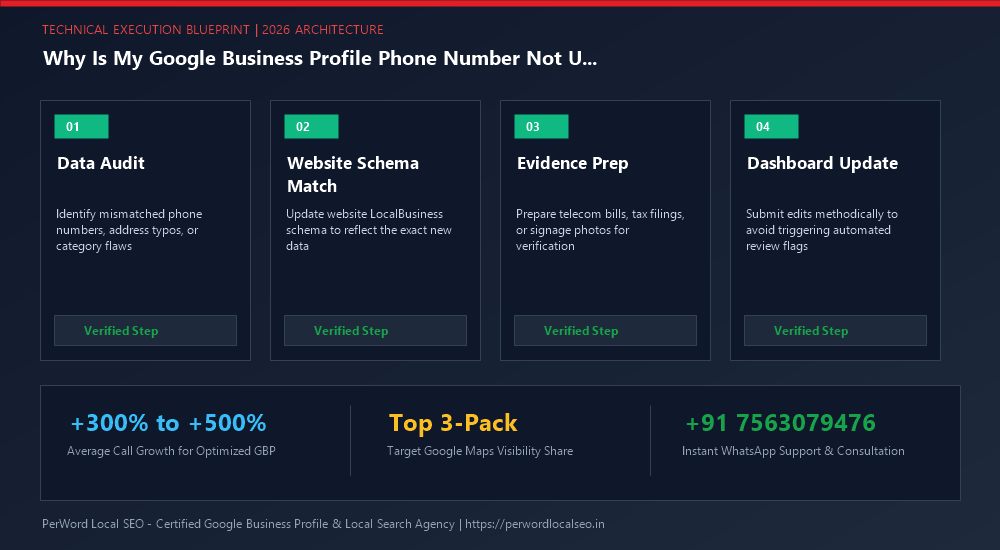
4. Step-by-Step Resolution Protocol
Web Footprint Creation
Publish the phone number on your website's contact page, header, and footer. Add JSON-LD schema markup. Fetch and re-index via Google Search Console.
Third-Party Indexing
Update your Justdial, IndiaMART, Facebook Page, and LinkedIn Company profiles with the exact new phone number to create citation alignment.
Official Ticket Escalation
If the number still strikethroughs, submit an official support ticket attaching your corporate telephone bill and GST certificate for manual clearance.
6. Case Study: Logistics Fleet Fixes 3-Month Phone Strikethrough
SpeedCargo Express Logistics
The Nightmare: SpeedCargo upgraded to a corporate cloud toll-free number (1800-XXX-XXXX). For three months, every attempt to add the toll-free number resulted in an orange strikethrough. Incoming customer bookings were routing to an old disconnected mobile phone.
The PerWord Diagnostic Resolution:
- Identified that their toll-free number was only displayed inside a banner graphic on their homepage, making it invisible to Googlebot.
- Re-coded the header with crawlable HTML
<a href="tel:1800...">and embedded Telephone schema markup. - Compiled an Airtel Enterprise Corporate Billing invoice showing SpeedCargo as the verified subscriber.
- Submitted a manual escalation through our dedicated agency Google operations contact.
Result:
Google approved the new number within 36 hours. SpeedCargo captured over 1,400 incoming corporate logistics calls in the following 30 days.
7. Professional Service Telecom Schema
<script type="application/ld+json">
{
  "@context": "https://schema.org",
  "@type": "LogisticsService",
  "name": "SpeedCargo Express Logistics",
  "url": "https://speedcargoexpress.example.com",
  "telephone": "+91-11-47891234",
  "contactPoint": [
    {
      "@type": "ContactPoint",
      "telephone": "+91-11-47891234",
      "contactType": "customer service",
      "areaServed": "IN"
    },
    {
      "@type": "ContactPoint",
      "telephone": "+91-9811098765",
      "contactType": "operations dispatch",
      "areaServed": "IN"
    }
  ],
  "address": {
    "@type": "PostalAddress",
    "streetAddress": "B-42, Phase 1, Okhla Industrial Area",
    "addressLocality": "New Delhi",
    "addressRegion": "Delhi",
    "postalCode": "110020",
    "addressCountry": "IN"
  }
}
</script>
Need Expert Help Updating Your Business Profile?
Is your phone number stuck with an orange strikethrough, or are you preparing for a major office relocation or corporate rebrand? Do not risk triggering automated suspensions. Our certified Google Local SEO engineers manage high-risk profile updates safely with zero downtime.
Frequently Asked Questions (FAQs)
Related Resources & Profile Optimization Services
Author: Amit Kumar (Lead Local SEO & GBP Strategist)
Google Certified Search Specialist | 10+ Years Experience in Local SEO & Business Profile Scaling
Amit Kumar has personally overseen more than 3,000 profile updates, address relocations, and telecom approvals across India, the US, UK, and UAE. His methodical synchronization of web schema and public business registries ensures seamless edits without downtime or loss of ranking authority.