Table of Contents
Executive Summary: Safe Address Relocation
- Changing your physical business address on Google Business Profile is a critical sensitivity edit that will trigger an automatic re-verification challenge in over 90% of instances.
- Never create a brand-new listing for a moved business. Always update the address on your existing verified listing to carry forward your hard-earned customer reviews, photos, and historical entity authority.
- Do NOT touch the address in your GBP dashboard until your new physical facility has permanent exterior signage mounted and you have received your first commercial utility bill at the new address.
- Update your official website and primary citations (Yelp, Justdial, Bing Places) before modifying GBP to give Google's validation bots ground-truth corroboration.
1. The High Stakes of Business Relocation
Commercial relocations are landmark milestones in the lifecycle of a growing enterprise. Whether moving to a larger medical facility, an upgraded showroom, or a more prestigious downtown commercial tower, physical expansion represents business vitality.
However, in Google's local search algorithms, an address change represents a disruption of established geographic trust. Google’s algorithms must verify that the move is authentic, that the old address is genuinely vacated, and that the new location complies with all local business representation guidelines. Executed improperly, an address change can result in immediate listing suspension, ranking evaporation, and lost customer navigation.
2. The 30-Day Pre-Move Preparation Checklist
1. Execute Commercial Tenancy Deed
Ensure the commercial lease agreement explicitly names your business entity, lists the exact suite/floor number, and is fully signed and notarized.
2. Install Permanent Signage
Mount permanent outdoor acrylic or dimensional lettering at the new building entrance and office door. Take wide-angle establishing photos.
3. Secure First Commercial Utility Bill
Transfer electricity or corporate broadband into your legal business name at the new address. Ensure the bill is generated before making the digital change.
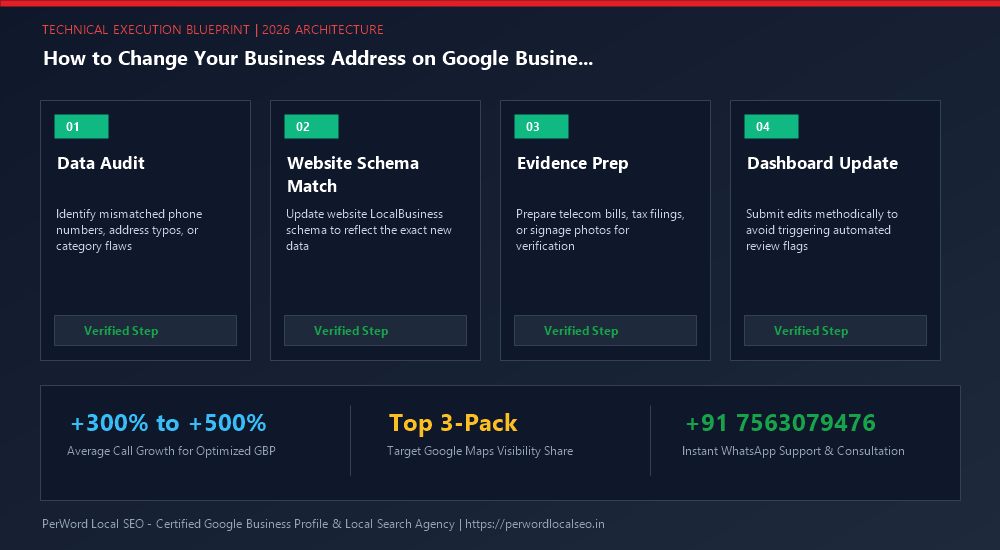
4. Update Website Footer & Schema
Update your website contact page, footer NAP, and Schema.org markup with the new address 5 to 7 days before modifying your Google Business Profile.
3. Step-by-Step Address Modification Protocol
How to Update the Address in Search NMX
- Access Profile Dashboard: Log in as Primary Owner and click 'Edit profile' > 'Location'.
- Input Exact Address Characters: Enter the building name, street address, suite/floor, city, state, and postal code. Ensure terminology matches your utility bill character-for-character.
- Calibrate the Google Maps Pin: Click 'Adjust' on the interactive satellite map. Drag the red pin directly above your new commercial customer entrance.
- Click 'Save': Google will display a prompt indicating that your edit is being processed or requires verification.
4. Navigating the Mandatory Re-Verification Challenge
In almost every case involving a physical relocation beyond 100 meters, Google triggers a Mandatory Re-Verification Prompt. This is not a suspension; it is a standard procedural checkpoint.
Google will typically prompt for Video Verification. Film your video following the strict 3-Zone sequence: start on the public sidewalk showing the new street sign and exterior building facade, walk through the front doors, physically unlock your suite with keys, and show your office workstations and commercial registration documents.
6. The 30-Day Post-Move Citation Overhaul Protocol
Updating your address on Google Business Profile is only the first step. If the remaining 50+ local business directories still display your old address, Google's knowledge graph will detect conflicting geographic signals, leading to ranking demotions:
Tier 1 Data Aggregators
Update core directory databases (Data Axle, Neustar Localeze, Foursquare, YellowPages) to distribute the new address across thousands of mobile apps.
Alternative Map Engines
Update Apple Maps (Apple Business Connect), Bing Places for Business, and TomTom to ensure in-car navigation systems guide drivers correctly.
Industry Niche Portals
Update specialized vertical portals (Justdial, Practo, Zocdoc, Avvo, TripAdvisor) to establish complete cross-network entity harmony.
6. Case Study: Architectural Firm Moves Headquarters Seamlessly
Studio Forma Architecture
The Relocation: Studio Forma relocated their 20-person architecture practice from South Delhi to a luxury commercial tower on Golf Course Road, Gurgaon. They had 140 high-value client reviews and held #1 rankings that they could not afford to lose.
The PerWord Migration Strategy:
- Mounted 3D brushed-metal signage in the commercial building elevator lobby prior to digital updates.
- Obtained a DHBVN commercial power bill and signed commercial lease for Suite 502.
- Updated website Schema.org markup and top-20 architectural directory citations.
- Executed the address update and cleared the subsequent Video Verification on the first attempt in 24 hours.
Result:
Re-verification cleared in 24 hours. All 140 reviews remained 100% intact. Within 45 days, Studio Forma ranked #1 across Gurgaon for 'Luxury Commercial Architects', landing ₹1.2 Crore in design contracts.
7. ArchitecturalService Geo-Entity Schema
<script type="application/ld+json">
{
  "@context": "https://schema.org",
  "@type": "ProfessionalService",
  "name": "Studio Forma Architecture",
  "url": "https://studioforma.example.com",
  "telephone": "+91-124-4567890",
  "taxID": "06AAAAA1234A1Z5",
  "address": {
    "@type": "PostalAddress",
    "streetAddress": "Suite 502, Horizon Executive Tower, Golf Course Road",
    "addressLocality": "Gurgaon",
    "addressRegion": "Haryana",
    "postalCode": "122002",
    "addressCountry": "IN"
  },
  "geo": {
    "@type": "GeoCoordinates",
    "latitude": 28.4721,
    "longitude": 77.0984
  }
}
</script>
Need Expert Help Updating Your Business Profile?
Is your phone number stuck with an orange strikethrough, or are you preparing for a major office relocation or corporate rebrand? Do not risk triggering automated suspensions. Our certified Google Local SEO engineers manage high-risk profile updates safely with zero downtime.
Frequently Asked Questions (FAQs)
Related Resources & Profile Optimization Services
Author: Amit Kumar (Lead Local SEO & GBP Strategist)
Google Certified Search Specialist | 10+ Years Experience in Local SEO & Business Profile Scaling
Amit Kumar has personally overseen more than 3,000 profile updates, address relocations, and telecom approvals across India, the US, UK, and UAE. His methodical synchronization of web schema and public business registries ensures seamless edits without downtime or loss of ranking authority.