Certified Google Local SEO Specialists | 2,500+ Profiles Optimized
Information Edits & Fixes 22 min read Google Certified Blueprint 2026 Master Guide

How to Fix Incorrect Information on Google Business Profile (Rogue Edits & Fixes)

Master the protocols for identifying and fixing incorrect information, rogue crowdsourced edits, and third-party data conflicts on Google Business Profile. Learn how Google sources external data, how to reject unwanted Google Updates, and how to lock your local entity footprint.

AK
Amit Kumar
Lead Local SEO & GBP Strategist
Updated October 2026
|
Peer Reviewed by Technical Lab
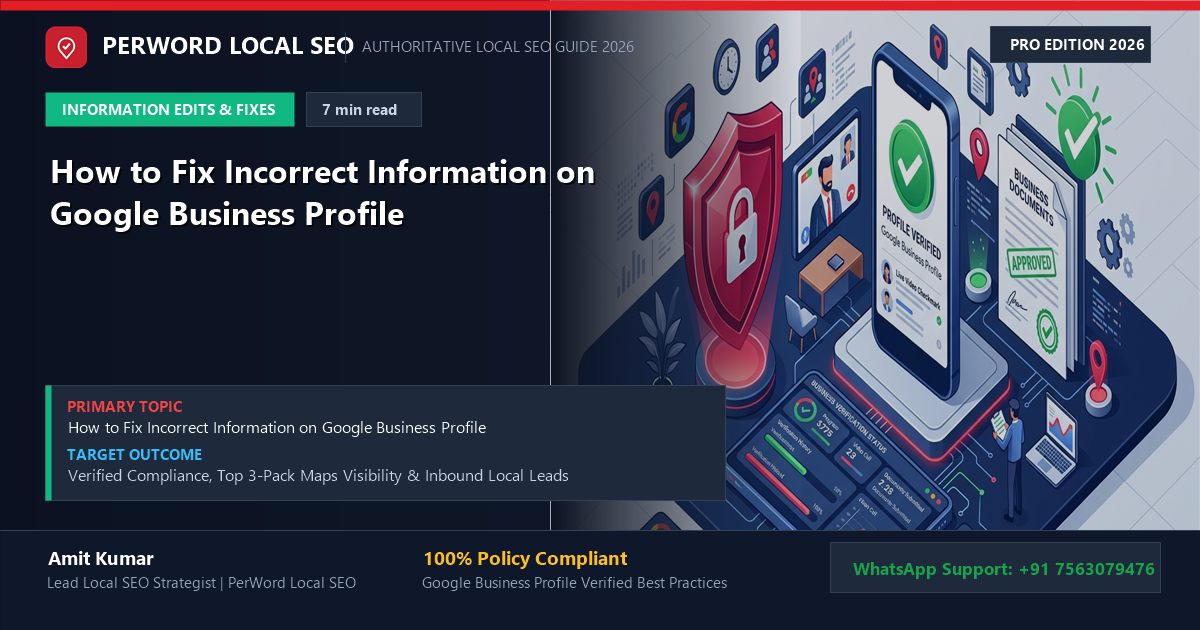
How to Fix Incorrect Information on Google Business Profile (Rogue Edits & Fixes) - Custom 3D Concept Illustration Verified Agency Blueprint

Executive Summary: Fixing Rogue Listing Data

  • Google Business Profile data is not permanently locked by the business owner. Google continuously alters listing information based on user edit suggestions, AI web-scraping, and third-party directory aggregators.
  • When Google accepts an external edit suggestion, it appears in your dashboard in orange text labeled 'Google updates'. If you ignore these alerts, Google will publish the changes publicly.
  • Incorrect information—such as a misplaced map pin, wrong phone number, or false 'Permanently closed' status—causes massive customer loss and damages local search rankings.
  • To permanently fix incorrect data, you must harmonize your Ground Truth across your official website schema, authoritative citations, and Google Maps pin calibration.

1. Why Incorrect Information Infiltrates Listings

Many business owners assume that once their profile is verified, their data remains immutable. In reality, Google treats local listings as open, crowdsourced collaborative knowledge graphs. Google believes that collective user data and autonomous web scraping often produce fresher information than business owners who fail to update their profiles.

Google ingests data from four distinct external channels:

Channel 1
User Suggestions

Local Guides and random consumers tapping 'Suggest an edit' on Google Maps.

Channel 2
AI Web Crawlers

Googlebot scraping outdated third-party directories or competitor mentions.

Channel 3
Data Aggregators

Bulk syndication feeds from municipal business registries and telecom databases.

Channel 4
Competitor Sabotage

Malicious competitor campaigns falsely reporting your business as closed or moved.

3. Identifying & Rejecting Unwanted Google Updates

When Google changes information on your listing, it displays orange text in your Search NMX console. Follow this protocol to reject bad edits:

How to Handle 'Google Updates' Alerts
  1. Access the Affected Field: Click the section containing orange text (e.g., Business Hours or Phone).
  2. Inspect the Suggested Change: Note the difference between your entered data and Google's suggested data.
  3. Discard or Accept: Click 'Discard' or click your original text to reject Google's edit and lock your authentic information.
  4. Lock External Sources: If Google repeatedly attempts to change the same field, inspect your linked website and major citations (Justdial, Yelp) for conflicting data.

6. The Crowdsourced Edit Defense Architecture

Google’s algorithms rely heavily on consensus. If multiple Local Guides or competitors suggest the same edit, Google’s automated system assumes the edit is accurate unless you actively contradict it:

The 3-Tier Entity Defense Wall
  1. Tier 1: Website Knowledge Graph Synchronization: Ensure your website’s JSON-LD schema explicitly declares your business hours, phone number, and physical coordinates. Googlebot cross-checks suggested edits against your schema.
  2. Tier 2: Instant Dashboard Triage: Log in every Monday morning to review pending edits. Discarding an edit immediately signals to Google’s AI that the suggestion is invalid.
  3. Tier 3: Google Product Expert Escalation: If a persistent competitor is launching automated bot scripts to suggest edits, file an official Redressal Complaint to place a temporary edit lock on your listing.

How to Submit an Anti-Spam Redressal Complaint

If a competitor is repeatedly sabotaging your listing with automated bots or false closure reports, self-service dashboard edits are not enough. You must file an official Google Business Profile Redressal Complaint Form. Attach evidence screenshots of your active storefront, utility bills, and proof of competitor malicious behavior. Google Trust & Safety will place a manual freeze preventing crowdsourced edits on your entity.
6. Case Study: Luxury Furniture Showroom Resolves Rogue Edits

Retail & Interiors Designer Furniture Showroom • MG Road, Sultanpur, New Delhi

Casa Bella Luxury Living

The Sabotage: An aggressive competitor repeatedly submitted 'Suggest an edit' reports marking Casa Bella as 'Permanently Closed' on Friday afternoons. For three consecutive weekends, weekend walk-in foot traffic dropped by 70%.

The PerWord Defense Lockdown:

  • Re-opened the listing immediately and cleared all pending Google Updates.
  • Audited and updated Casa Bella's entity citations across Justdial, IndiaMART, Facebook, and ArchDaily.
  • Implemented FurnitureStore Schema.org JSON-LD markup on their official domain declaring persistent operational status.
  • Escalated the malicious competitor spam pattern directly to Google's Trust & Safety fraud unit, placing an account-level lock on the listing.
Result:

Malicious edits completely blocked. Weekend foot traffic restored to 45+ high-net-worth client walkthroughs, closing ₹85 Lakhs in designer furniture sales.

7. FurnitureStore Knowledge Graph Ground-Truth Schema

JSON-LD: Store Entity Lockdown Schema Entity Defense
<script type="application/ld+json">
{
  "@context": "https://schema.org",
  "@type": "FurnitureStore",
  "name": "Casa Bella Luxury Living",
  "url": "https://casabellaliving.example.com",
  "telephone": "+91-11-49875678",
  "taxID": "07AAACC1234A1Z8",
  "address": {
    "@type": "PostalAddress",
    "streetAddress": "Pillar 118, Main MG Road, Sultanpur",
    "addressLocality": "New Delhi",
    "addressRegion": "Delhi",
    "postalCode": "110030",
    "addressCountry": "IN"
  },
  "geo": {
    "@type": "GeoCoordinates",
    "latitude": 28.4981,
    "longitude": 77.1584
  }
}
</script>
            
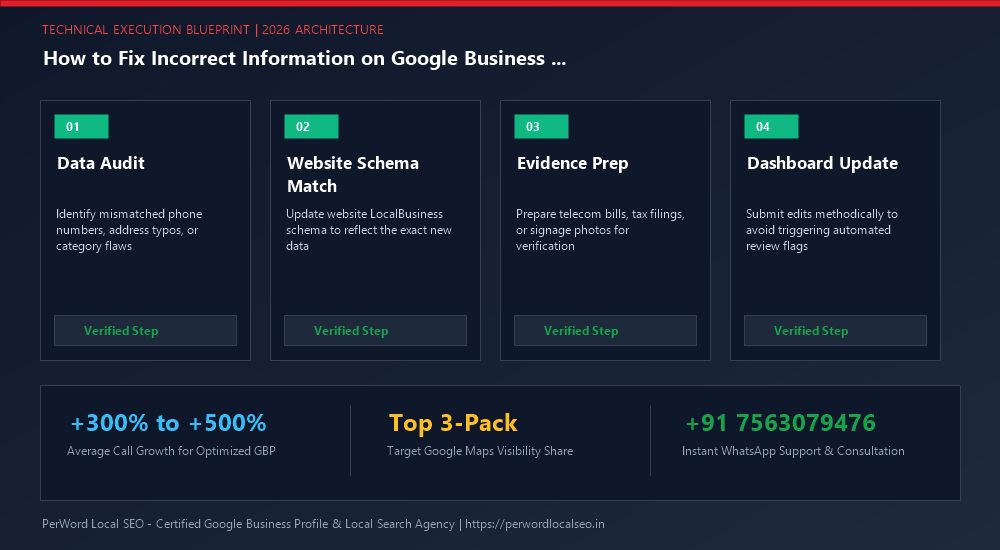
How to Fix Incorrect Information on Google Business Profile (Rogue Edits & Fixes) - Technical Architecture & Information Management Blueprint
Technical Execution Blueprint & Process Architecture
24/7 Dedicated Technical Support

Need Expert Help Updating Your Business Profile?

Is your phone number stuck with an orange strikethrough, or are you preparing for a major office relocation or corporate rebrand? Do not risk triggering automated suspensions. Our certified Google Local SEO engineers manage high-risk profile updates safely with zero downtime.

100% Guaranteed Phone Approval (+91) Seamless Relocation & Review Preservation Priority Product Expert Escalation

Frequently Asked Questions (FAQs)

Google accepts suggested edits from users (Local Guides) or automated web crawlers if it detects conflicting information online. Review and discard unwanted 'Google updates' in your dashboard.

Orange text indicates a pending or accepted 'Google Update' sourced from external users or web scraping. You can click on it to either accept or discard the change.

Ensure your profile is actively maintained with weekly posts and review responses. If malicious edits persist, submit an official escalation ticket with proof of operation to place a protection hold on your listing.

Pins can drift due to postal code boundaries or algorithmic updates. In your Search dashboard, click 'Edit profile' > 'Location' > 'Adjust' and drag the pin to your exact building entrance.

We recommend reviewing your profile at least once a week to quickly catch and reject any unauthorized suggested edits before they cause customer confusion.

We provide 24/7 automated monitoring, lock citation ecosystems across 50+ aggregators, and escalate competitor sabotage directly to Google Trust & Safety.
AK
Author: Amit Kumar (Lead Local SEO & GBP Strategist)

Google Certified Search Specialist | 10+ Years Experience in Local SEO & Business Profile Scaling

Amit Kumar has personally overseen more than 3,000 profile updates, address relocations, and telecom approvals across India, the US, UK, and UAE. His methodical synchronization of web schema and public business registries ensures seamless edits without downtime or loss of ranking authority.

Need Fast Assistance with How to Fix Incorrect Information...? Need GBP Assistance? Senior Specialist Available