Table of Contents
Executive Summary: Adding Numbers Safely
- Google Business Profile allows you to add up to three distinct phone numbers: one Primary phone number and up to two Additional phone numbers.
- The Primary phone number is the number connected directly to the public 'Call' button on Google Maps and search cards.
- The Additional phone numbers are indexed in Google's Knowledge Graph, preserving your historical citation consistency across external web directories like Yelp and Justdial.
- If you implement dynamic call tracking (e.g. CallRail or WhatConverts), always place the tracking number as the Primary number and keep your permanent local geographic number as the Additional number.
1. Google's Multi-Number Architecture
As local businesses scale, their telephony requirements evolve. What began as a single mobile phone often transitions into a sophisticated call center with specialized departmental lines for sales, billing, emergency dispatch, and customer support.
Fortunately, Google Business Profile is designed to accommodate multi-line enterprises through its Primary & Additional Phones Framework. Understanding how these fields interact with Google's search algorithms allows you to expand your communication channels without triggering policy flags or diluting local ranking signals.
2. Primary vs. Additional Phone Number Functions
| Phone Field | User-Facing Behavior | Search Algorithm & SEO Impact |
|---|---|---|
| Primary Phone | Triggered when a mobile user clicks 'Call'. Displayed prominently on Maps listing cards. | Primary entity identifier. Must be a direct commercial line or call-tracking forwarding line. |
| Additional Phone 1 | Displayed when a user expands 'About' or 'Contact details'. | Used by Googlebot to match external citation NAP data across 50+ local directories. |
| Additional Phone 2 | Secondary backup line for specific department routing. | Reinforces multi-line legitimacy and provides fallback routing for customer inquiries. |
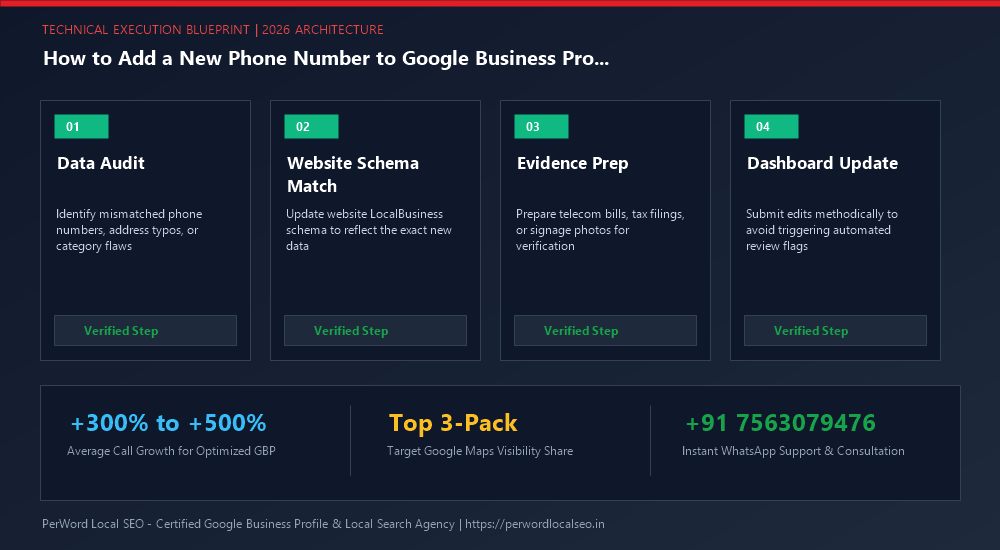
3. Step-by-Step Walkthrough: Adding a New Line
Access Profile Editor
Search for your business name on Google while signed into your Primary Owner Google account. Click 'Edit profile'.
Navigate to Contact Tab
Click the 'Contact' tab and scroll down to the 'Phone number' section. Click the pencil icon to modify contact lines.
Select 'Add phone number'
Click the '+ Add phone number' link below your primary number. Select your country code (e.g., +91 for India, +1 for US) and enter digits.
Save and Await Approval
Click 'Save'. Secondary numbers typically approve with 90% faster turnaround times than primary number replacements.
4. Call Tracking Without Ranking Degradation
Tracking the exact revenue generated by your Google Business Profile is critical for marketing attribution. However, many business owners inadvertently destroy their local rankings by replacing their established local number with a dynamic call tracking number.
The Safe Call Tracking Architecture
- Primary Phone Field = Tracking Number: Input your CallRail, WhatConverts, or Twilio local tracking number into the Primary phone field. All customer calls from Google Maps will route through your tracking system.
- Additional Phone Field = Permanent NAP Number: Place your real, permanent local landline number into the Additional phone field. Google's local search algorithms use this field to match your listing against external citations.
- Result: 100% Tracking Attribution + 100% SEO NAP Consistency.
5. Dynamic Number Insertion (DNI) vs. Static Call Tracking
Marketing agencies frequently confuse Dynamic Number Insertion (DNI) on websites with static call tracking on Google Business Profile. Setting this up incorrectly destroys NAP consistency:
| Tracking Method | Implementation Location | Impact on Local SEO & Google Guidelines |
|---|---|---|
| Static GBP Tracking | Google Business Profile Primary Phone field | 100% Policy Compliant when paired with real landline in Additional Phone. |
| Dynamic Number Insertion (DNI) | Client Website JavaScript Snippet | Dynamically swaps phone number based on UTM traffic source (Google Ads, Facebook, Organic). Googlebot always sees the static fallback number. |
6. Case Study: Multi-Speciality Dental Practice Adds 3 Lines
SmileCraft Dental Care
The Opportunity: SmileCraft had a single reception mobile line that was constantly busy, missing an estimated 35% of incoming appointment calls. They needed to implement a CallRail tracking line and route emergency pediatric calls to a dedicated surgical desk.
The PerWord Implementation:
- Configured a CallRail local Bangalore tracking number (+91-80-4987XXXX) with whisper tone messaging.
- Placed the CallRail number in the Primary Phone field and moved their 8-year-old permanent reception number to Additional Phone 1.
- Added their pediatric emergency mobile line into Additional Phone 2.
- Updated website footer Schema.org markup with multiple ContactPoint objects.
Result:
Edits cleared within 12 hours with zero ranking drop. SmileCraft captured 280 additional monthly appointment calls and gained complete marketing ROI tracking.
7. Multi-Contact Schema.org Implementation
<script type="application/ld+json">
{
  "@context": "https://schema.org",
  "@type": "Dentist",
  "name": "SmileCraft Dental Care",
  "url": "https://smilecraftdental.example.com",
  "telephone": "+91-80-49871234",
  "contactPoint": [
    {
      "@type": "ContactPoint",
      "telephone": "+91-80-49871234",
      "contactType": "appointments",
      "areaServed": "IN"
    },
    {
      "@type": "ContactPoint",
      "telephone": "+91-80-25205678",
      "contactType": "general reception",
      "areaServed": "IN"
    }
  ],
  "address": {
    "@type": "PostalAddress",
    "streetAddress": "100 Feet Road, Indiranagar",
    "addressLocality": "Bangalore",
    "addressRegion": "Karnataka",
    "postalCode": "560038",
    "addressCountry": "IN"
  }
}
</script>
Need Expert Help Updating Your Business Profile?
Is your phone number stuck with an orange strikethrough, or are you preparing for a major office relocation or corporate rebrand? Do not risk triggering automated suspensions. Our certified Google Local SEO engineers manage high-risk profile updates safely with zero downtime.
Frequently Asked Questions (FAQs)
Related Resources & Profile Optimization Services
Author: Amit Kumar (Lead Local SEO & GBP Strategist)
Google Certified Search Specialist | 10+ Years Experience in Local SEO & Business Profile Scaling
Amit Kumar has personally overseen more than 3,000 profile updates, address relocations, and telecom approvals across India, the US, UK, and UAE. His methodical synchronization of web schema and public business registries ensures seamless edits without downtime or loss of ranking authority.