Table of Contents
Executive Summary: Google Business Profile Update Posts
- The Update Post is the foundational broadcast tool on Google Business Profile, allowing verified owners to publish news, completed projects, team highlights, and educational content directly to their Google Maps knowledge panel.
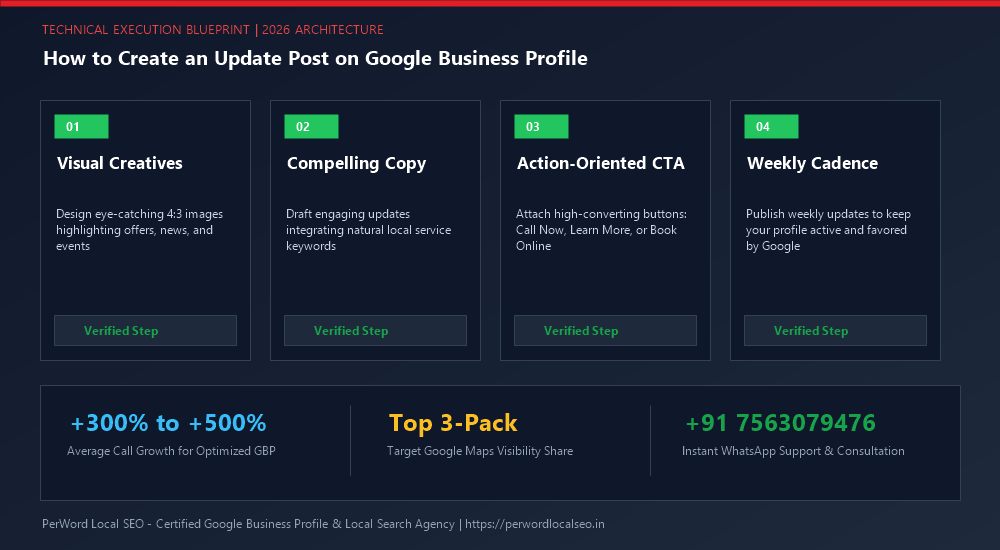
- Unlike Offer or Event posts that require date ranges and special parameters, an Update post requires only three assets: an engaging photo/video, persuasive descriptive copy (up to 1,500 characters), and an interactive CTA button.
- Google's search bots continuously crawl post text. Strategically including primary commercial services and localized neighborhoods triggers Google 3-Pack justification snippets for relevant search queries.
- Publishing one high-quality update post every 7 days maintains active freshness signals without triggering Google's automated spam filters.
1. Defining Standard Update Posts (The Workhorse Format)
In the Google Business Profile ecosystem, the Update Post (formerly known as "What's New") serves as the primary ongoing communication vehicle between your business and prospective customers searching on Google.
While an Offer post requires an explicit promotional discount and an Event post requires fixed start and end times, an Update post gives you complete creative freedom. You can showcase a recent customer success story, explain a complex technical repair, announce a new staff member, or answer a common customer question. It is the workhorse format that should form 70% of your weekly publishing calendar.
2. Technical Visual Specs: 4:3 Ratio, Multi-Photo Carousels & Video
Visual assets determine whether a mobile user stops scrolling or passes by your listing. Adhere strictly to these technical standards:
| Media Parameter | Recommended Specification | Technical Rationale |
|---|---|---|
| Image Dimensions | 1200 x 900 pixels (4:3 Ratio) | Prevents awkward cropping on both desktop Knowledge Panels and mobile Maps viewports. |
| File Size & Format | JPG or PNG, between 500 KB and 5 MB | Loads instantly without degrading sharpness on high-resolution Retina smartphone screens. |
| Multi-Photo Carousel | Up to 10 photos per post | Creates an interactive swipeable gallery; increases user dwell time on your listing. |
| Video Clip Parameters | MP4 format, up to 30 seconds, maximum 75 MB | Autoplays natively on Android Google Maps app; commands massive engagement. |
3. Copywriting Architecture: The First 100 Characters & Semantic Entities
Google provides a generous limit of 1,500 characters for post body text. However, human behavioral psychology and mobile screen constraints dictate that the first 80 to 100 characters do 90% of the heavy lifting.
On mobile devices, Google automatically truncates the post copy after approximately two lines with a "...More" link. If your initial sentence is a generic greeting like "Hello valued customers, we hope you are having a wonderful Tuesday!", the customer has zero incentive to read further.
The Lead-With-Value Copy Formula
Bad: "We are pleased to announce that our plumbing team has been hard at work serving the community..." (Zero keywords, zero hook).
High-Converting: "Dealing with a leaking water heater in Plano? 🔧 Our master plumbers provide same-day tankless and standard water heater replacements with upfront pricing and zero hidden fees. Tap 'Call Now' for 24/7 emergency dispatch!" (Hook + Local Keyword + Service Entity + Immediate CTA).
4. Action Button Strategy: Call Now vs. Book vs. Learn More
Never leave an Update post without an active call-to-action button. Match the button to your business model:
- Call Now: Best for emergency service contractors (plumbers, roofers, locksmiths, towing, emergency clinics). Tapping immediately launches the phone dialer on mobile devices.
- Book: Ideal for appointment-based practices (dentists, salons, auto detailers, spas). Links directly to your real-time scheduling calendar.
- Order Online: Essential for restaurants, bakeries, pizzerias, and retail shops.
- Learn More: Best for deep-dive case studies, blog articles, and service pages. Always include UTM tracking parameters on the destination URL.
5. Step-by-Step Publishing Walkthrough in Google NMX
- Open Google Search while authenticated into your management Google account and search "my business".
- In the business dashboard tool row, click Add update.
- Select the Add update tab.
- Click Add photos to upload your 1200x900px imagery.
- Paste your persuasive, keyword-rich body copy into the description field.
- Under "Add a button (optional)", select your preferred action button (e.g., "Call now" or "Learn more").
- Click Post. The update will be published instantly across Google Search and Maps.
6. Common Rejection Triggers & Content Policy Traps
If your update post is rejected with a red warning, review these 4 frequent algorithmic violations:
- Phone Numbers Typed in Body Copy: Google's automated parser rejects posts containing phone numbers in the text description. You must use the "Call now" button.
- ALL CAPS Headlines: Writing headlines in full caps triggers spam filters. Use standard title case.
- Low-Quality or Copyrighted Images: Avoid blurry photos, stock photos with visible watermarks, or images copied from competitor websites.
- Restricted Industry References: Mentions of prescription medications, firearms, vape, or alcohol are prohibited.
Want Weekly Custom Update Posts Handled for You?
PerWord Local SEO creates branded graphics, writes high-converting local copy, and schedules weekly update posts that generate consistent phone inquiries.
7. Case Study: Auto Repair Shop 3x Phone Calls via Weekly Updates
Client Profile: An independent European automotive repair garage in Austin, Texas, had an optimized profile with 4.8 stars, but struggled to communicate its specialization in BMW and Mercedes-Benz transmission overhauls.
The Strategy: PerWord Local SEO established a weekly Update post sprint:
- Published 1 weekly case study showcasing an actual exotic vehicle undergoing repair in their workshop.
- Wove in exact semantic search entities: "BMW transmission repair in Austin", "factory diagnostic scanner", and "OEM certified parts".
- Configured a direct "Call Now" button for fast mobile customer engagement.
The Results: Within 60 days, Google generated multiple 3-Pack justification snippets for BMW transmission queries. Inbound phone calls initiated directly from Google Posts surged from 4/month to 42 direct calls per month, generating over $68,000 in specialized mechanical repair billing.