Table of Contents
Executive Summary: Google Business Profile Event Posts
- Google Business Profile Event Posts are structured broadcasts designed to market time-specific physical or virtual commercial gatherings—including educational workshops, webinars, grand openings, customer appreciation days, and seasonal sales.
- Event posts require structured Start Dates, End Dates, and exact Start/End Times. Unlike standard update posts that fade into the historical carousel, Event posts remain prominently featured in your profile until the moment the event concludes.
- Google frequently surfaces active events directly in the Google Maps overview card and integrates them into Google's broader localized event discovery features on mobile devices.
- Pairing your Google Event post with corresponding Schema.org `Event` structured data on your website creates an unbreakable entity relationship in Google's Knowledge Graph.
1. The Strategic Value of Event Posts
Hosting local events—whether an educational homebuyer seminar, a free pediatric dental screening day, or an in-store wine tasting—is one of the most effective strategies to build brand prominence in your local community.
Google Event Posts give you a free, permanent marketing showcase directly inside Google Maps. While standard update posts recede as new content is added, Event posts stay anchored at the top of your profile for the entire duration of the promotion, giving you weeks of uninterrupted promotional exposure to local consumers.
2. The Structured Fields: Dates, Times & Titles
Google Event Posts utilize specific parameters that differentiate them from standard updates:
| Event Post Field | Technical Requirements | Strategic Optimization Rule |
|---|---|---|
| Event Title | Up to 58 characters. Displayed prominently as the bold headline. | Clearly state the benefit or topic (e.g., "Free Home Remodeling Design Workshop"). |
| Start Date & End Date | Calendar picker defining the duration of the event. | Publish at least 14 to 21 days in advance to allow time for registration buildup. |
| Start Time & End Time | Specific hour and minute settings (optional, but highly recommended). | Ensures mobile consumers know exact operational hours for physical attendance. |
| Event Details | Up to 1,500 characters of written descriptive copy. | Outline the agenda, guest speakers, refreshments, and what attendees will learn. |
| Action Button (CTA) | "Sign up", "Book", "Learn more", or "Call now". | Link directly to a high-converting Eventbrite or dedicated website RSVP landing page. |
3. Step-by-Step Creation Walkthrough in Google Search NMX
- Open Google Search while logged into your verified business account and search "my business".
- Click the Add update icon in your business dashboard.
- Select the Add event tab at the top of the composer window.
- Input your compelling Event title.
- Set the Start Date and End Date. Toggle on "Add time" to set precise morning or evening hours.
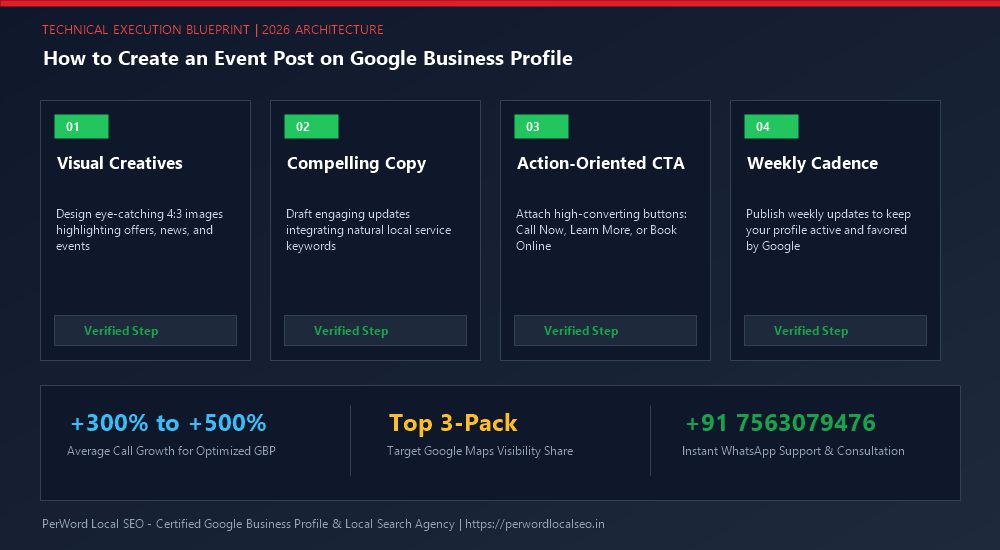
- Upload a clean, high-resolution 1200x900px event banner graphic or photo of your venue/speaker.
- Write your comprehensive event description, detailing key takeaways and location instructions.
- Select "Sign up" or "Book" and paste your tracked registration URL.
- Click Post to publish immediately.
4. 6 High-Impact Event Concepts by Industry
Legal & Financial Practices
"Free Living Trust & Estate Planning Educational Seminar" — Educate local families on probate avoidance while generating qualified high-ticket clients.
Home Contractors & Remodelers
"Kitchen & Bath Remodeling Design Expo" — Invite homeowners to tour your showroom, meet interior architects, and enjoy complimentary wine and cheese.
Healthcare & Dental Practices
"Community Smile Day: Free Pediatric Dental Checkups" — Offer complimentary visual exams for children, positioning your clinic as a beloved community champion.
Fitness & Wellness Centers
"Free Outdoor Sunrise Yoga & Smoothie Social" — Host a weekend community workout in the park to drive trial memberships and newsletter signups.
5. Pairing GBP Event Posts with Website Event Schema
To maximize search engine exposure, always publish a corresponding event landing page on your website with complete JSON-LD `Event` structured data markup:
{
  "@context": "https://schema.org",
  "@type": "Event",
  "name": "Estate Planning & Asset Protection Workshop",
  "startDate": "2026-05-15T18:00:00-05:00",
  "endDate": "2026-05-15T20:00:00-05:00",
  "eventAttendanceMode": "https://schema.org/OfflineEventAttendanceMode",
  "eventStatus": "https://schema.org/EventScheduled",
  "location": {
    "@type": "Place",
    "name": "Oakwood Conference Center",
    "address": {
      "@type": "PostalAddress",
      "streetAddress": "500 Main Street",
      "addressLocality": "Dallas",
      "postalCode": "75201",
      "addressCountry": "US"
    }
  },
  "organizer": {
    "@type": "Organization",
    "name": "Oakwood Legal Group",
    "url": "https://examplelaw.com"
  }
}
Want to Promote Your Next Local Event on Google?
PerWord Local SEO creates custom Event posts, handles registration landing pages, and injects structured Event schema to drive record attendance.
7. Case Study: Law Firm Fills 120-Seat Estate Planning Seminar
Client Profile: An estate planning law firm in Dallas, Texas, relied on expensive direct-mail postcards to fill their monthly educational living trust seminars, spending over $4,500 per event.
The Strategy: PerWord Local SEO established an organic Google Event post funnel:
- Published an official Google Event post 21 days before the seminar titled "Free Estate Planning & Living Trust Workshop".
- Configured precise event dates and morning hours, linking to an optimized RSVP landing page backed by Schema.org `Event` code.
- Published weekly update posts highlighting key speaker topics and reminding searchers of limited seat capacity.
The Results: The Google Event post generated 1,890 impressions, 240 link clicks, and 88 direct attendee registrations without spending a single dollar on paid advertising. The firm eliminated print mailings and booked $115,000 in new estate planning client retainers from the event.
8. Post-Event Transition Architecture & Long-Term Conversion Retargeting
A frequent error local businesses commit is treating an Event post as a disconnected, one-time broadcast. High-performing local brands leverage the event lifecycle to create a compounding conversion loop that continues generating customers long after the event concludes.
The 24-Hour Event Recap Post
Within 24 hours of event completion, immediately publish a standard "Add Update" post featuring live photos of attendees, key takeaways, and memorable moments. This provides social proof to prospective customers browsing your listing, demonstrating an active, community-trusted enterprise.
Immediate Review Harvesting Loop
Directly follow up with event attendees via SMS or email thanking them for attending and linking directly to your verified Google review URL. Attendees who experienced a well-organized event are primed to write detailed, keyword-rich testimonials that enhance your Google Maps 3-Pack rankings.